Category: Tech Services

  • TOP 5 Domains of AI Insider Secret

    TOP 5 Domains of AI Insider Secret

    As AI continues to be among the most talked about subjects of modern times and will likely be the same in the coming years through continuous development, one might wonder what goes on inside the AI black box that produces such unbelievable outcomes. So, here is a quick look into the domains of AI to get an idea of how it works.

    The Domains of Artificial Intelligence

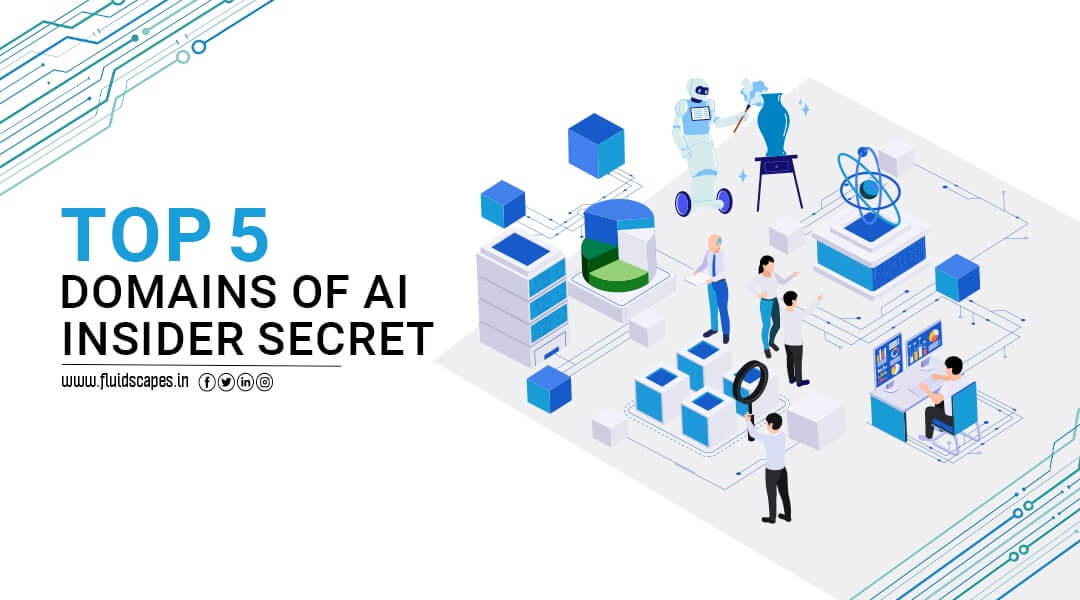
    AI is a multi-functional concept built around the model of the human brain. Therefore, it has (or strives to have) abilities to perform various forms of intelligence similar to those of the human brain. The multiple specialised sectors that make up the domains of AI are made up of intelligent machines and algorithms that mimic responses from the brain for a variety of requirements and applications. These domains are as follows:

    • Natural Language Processing
    • Computer Vision
    • Machine Learning
    • Deep Learning
    • Robotics

    Natural Language Processing (NLP)

    Natural Language Processing (NLP) is to make it possible for machines to comprehend, analyse, and produce human language.

    The goal of NLP is to eliminate communication barriers between people and machines, enabling natural interactions and deriving insightful information from textual input.

    Benefits of NLP

    • Speech Recognition: Speech recognition systems use NLP to convert spoken language into text. Voice assistants, voice-controlled devices, and dictation software all make use of this technology.
    • Language Translation: Another amazing application of NLP is language translation, which allows machines to translate text from one language to another. This app is useful for translation services, language learning apps, and global communication.

    Revolutionising applications of NLP

    • Virtual Assistants: Popular virtual assistants such as Siri, Alexa, and Google Assistant rely on NLP. These assistants comprehend spoken language, process user questions, and deliver appropriate responses or tasks based on the situation.
    • Chatbots: NLP is the backbone of chatbots because it allows them to have human-like discussions with users. These chatbots are used in customer service, assisting consumers in finding information and making personalised recommendations.

    Computer Vision

    Computer vision is a domain of artificial intelligence that allows computers and systems to extract meaningful information from digital photos, videos, and other visual inputs and then act or make recommendations based on that information. If artificial intelligence allows computers to think, computer vision allows them to see, watch, and comprehend.

    Computer vision functions similarly to human vision, with the exception that humans have an advantage. Human vision has the benefit of lifetimes of context to train how to discern objects apart, how far away they are, if they are moving, and if there is something wrong with a picture.

    Machine Learning

    Machine learning is a branch of artificial intelligence that allows computers to learn from data and improve their performance without the need for explicit programming.

    It is critical in AI because it provides algorithms and approaches that allow machines to recognize patterns, predict outcomes, and solve complex problems.

    Machine learning also enables the processing of massive volumes of data and gains significant insights that can be used to drive decision-making and automation. The computers are fed with high-quality data, which is processed by various algorithms to develop ML models to train the machines on this data. The algorithm used is determined by the type of data and the action that has to be automated.

    Many businesses, including healthcare, banking, and e-commerce, use machine learning. The following are some of the reasons why learning machine learning is essential:

    • Machine learning can be used to create intelligent systems that can make data-driven judgements and predictions. This can assist organisations in making better decisions, improving operations, and developing new goods and services.
    • Machine learning provides valuable tools for data analysis and visualisation. It enables you to uncover insights and patterns from massive databases to be used in understanding complex systems and making informed decisions.

    Deep Learning

    Deep learning is a machine learning technique that trains computers to do what people do instinctively: identify similarities or patterns. In deep learning, a computer model learns to execute categorization tasks directly from images, text, or sound.

    Deep learning models can attain cutting-edge accuracy, sometimes outperforming humans. Models are trained to utilise a vast quantity of labelled data and multi-layered neural network architectures.

    Most deep learning techniques employ neural networks, which is why deep learning models are frequently referred to as deep neural networks.

    Deep learning models are trained by vast amounts of labelled data and employ neural networks that learn features directly from the data, eliminating the need for manual feature extraction.

    Deep Learning application examples

    • Automatic car driving: Deep learning is being used to automatically detect things such as stop signs and traffic signals. Deep learning is also used to detect pedestrians, which helps reduce accidents.
    • Aerospace and defence: Deep learning is used to identify objects in satellite images.
    • Medical research: Deep learning is being used in cancer research to detect cancer cells automatically.
    • Industrial safety: Deep learning assists in the prevention of accidents in workplaces by automatically recognising when humans or objects are within a dangerous distance of machinery.
    • Electronics: Deep learning is utilised in automatic hearing and voice translation in electronics.

    Robotics

    Robotic technology powered by artificial intelligence takes automation to the next level, using robots to automate jobs or processes and reduce the use of manual labour. Automation can be utilised to increase productivity, improve quality, and lower costs. Automated systems can also contribute to increased safety and lower risks.

    Robotic automation can take many forms, ranging from simple systems that handle a single robot arm to very sophisticated software-driven solutions that manage hundreds of robots.

    The benefits of AI-powered robotics are:

    • Increased productivity
    • Reduced cost
    • Improved safety
    • Improved flexibility
    • Improved quality

    Conclusion:

    Artificial Intelligence (AI) is transforming our personal and professional worlds rapidly. AI is not a single technology but a combination of many technologies to create intelligent machines that can mimic human abilities, such as learning, reasoning, and problem-solving. The domains of AI signify the various faculties of the human brain that are responsible for various aspects of intelligence. There are a large number of fields (and counting) that have improved immensely with the use of AI. And many times, artificial intelligence has performed better than human intelligence.

    Source- Fluidscapes
    We are one of the best digital marketing companies in India that provides online reputation management services to all types of organizations. We assist businesses to stay on top of the game by leveraging the latest technologies and breakthroughs in marketing strategies and business processes. Want to grow your business, even more, get in touch with us and we’ll tell you how.
  • Benefits Of Migrating To Google Analytics 4

    Benefits Of Migrating To Google Analytics 4

    Google Analytics 4 or GA4 is a revolutionary update to the widely-used analytics platform, offering an event-based model that allows for more flexibility and improved insights. As the latest version of Google Analytics, GA4 is designed to provide marketers with enhanced data collection and reporting capabilities. Businesses are increasingly making the switch to Google Analytics 4 for its numerous benefits. In this comprehensive guide, we will explore the advantages of migrating to GA4, its key features and how to make the transition smoothly.

    Understanding Google Analytics 4

    GA4 is a significant departure from its predecessor, Universal Analytics. It introduces an event-based model that focuses on users and their interactions, rather than the traditional session-based approach. This shift enables marketers to gain a deeper understanding of user behaviour, as well as better predict future actions.

    The event-based model

    The event-based model in GA4 processes each user’s interaction as an individual event. This allows for a more comprehensive analysis of user behaviour by tracking various events, such as clicks, page views and conversions. With this model, marketers can delve into the intricacies of user interactions and better tailor their marketing strategies.

    Cross-platform analysis

    One of the major benefits of GA4 is its ability to track users across multiple platforms and devices. By consolidating data from websites, apps and other sources, GA4 provides a unified view of user actions, regardless of the platform or device used. This comprehensive view enables marketers to develop more effective, targeted campaigns.

    Enhanced pathing analysis

    GA4’s event-based model offers improved pathing analysis capabilities. By tracking user interactions in real-time, marketers can identify trends, patterns and potential bottlenecks in the user’s journey. This valuable information can be used to optimize website navigation, streamline the conversion process and ultimately, improve the user experience.

    Why Migrate to Google Analytics 4?

    Despite the steep learning curve associated with GA4, businesses should strongly consider migrating to this new platform. The benefits of GA4 far outweigh the challenges, providing marketers with more accurate data, enhanced insights and better decision-making capabilities.

    Improved data collection and analysis

    GA4 offers a host of new features that improve data collection and analysis. Machine learning and artificial intelligence capabilities enable GA4 to provide more accurate predictions and insights, helping businesses make more informed decisions. Additionally, GA4’s focus on user privacy ensures that data is collected and analyzed in compliance with current regulations.

    Future-proofing your analytics

    As Google continues to develop and improve GA4, it is clear that this platform is the future of analytics. Migrating to GA4 now will ensure that your business stays ahead of the curve, as well as give you access to the latest features and updates. Furthermore, it is important to note that new properties in Google Analytics now default to GA4, indicating that it is becoming the standard for analytics.

    Parallel data collection

    By setting up a GA4 property alongside your existing Universal Analytics property, you can collect data in parallel. This allows you to gradually transition to GA4 while still maintaining access to your Universal Analytics data. As you become more familiar with GA4, you can eventually phase out your reliance on Universal Analytics.

    Making the Switch to Google Analytics 4

    Migrating to GA4 is a relatively simple process that involves setting up a new GA4 property and configuring it to run alongside your existing Universal Analytics property. The following steps will guide you through the process of setting up GA4:

    • Log in to your Google Analytics account.
    • Click the ‘Admin’ gear icon located in the bottom left navigation.
    • Ensure the desired account and property are selected.
    • Click ‘GA4 Setup Assistant’ in the Property column.
    • Follow the on-screen prompts to create a new GA4 property.
    • If your site uses the gtag.js tag, enable data collection using your existing tags. If not, you may need to add the Analytics tag manually.

    Once the GA4 property is set up, you can begin collecting data in parallel with your Universal Analytics property. This will allow you to familiarize yourself with GA4’s features and capabilities while still having access to your existing data.

    Leveraging GA4 for Better Reporting

    GA4 offers numerous improvements in reporting, making it easier for marketers to extract valuable insights from their data. Some of the key reporting features in GA4 include:

    Real-time reports

    Real-time reports in GA4 display events that occurred within the past 30 minutes. This allows marketers to quickly confirm that the tracking code is working, monitor the immediate impact of marketing campaigns and observe user behaviour simultaneously.

    Life cycle reporting

    Life cycle reporting in GA4 mirrors the user journey through acquisition, engagement, monetization and retention. This type of reporting is ideal for analyzing how users enter the conversion funnel and how they behave once they are in the funnel. Life cycle reports can help marketers identify areas for improvement and optimize the user experience.

    Explorer reports and Analysis Hub

    GA4’s Analysis Hub gives marketers access to advanced analysis techniques and a template gallery. This powerful feature allows for more in-depth data exploration and visualization, providing personalized insights tailored to your specific business needs. Some of the available analysis techniques include:

    • Exploration
    • Funnel analysis
    • Path analysis
    • Segment overlap
    • Cohort analysis
    • User lifetime

    Conclusion

    Google Analytics 4 is a game-changer in the world of analytics, providing marketers with improved data collection, enhanced insights and better decision-making capabilities. Although migrating to GA4 may be challenging, the benefits far outweigh the challenges. By making the switch to GA4 with the help of marketing and branding experts of Fluidscapes, businesses can future-proof their analytics, stay ahead of the curve and ultimately, drive better results.

    Source- Fluidscapes
    We are one of the best digital marketing companies in India that provides online reputation management services to all types of organizations. We assist businesses to stay on top of the game by leveraging the latest technologies and breakthroughs in marketing strategies and business processes. Want to grow your business, even more, get in touch with us and we’ll tell you how.
  • Tips For Creating Effective Ad Copy And Landing Pages For PPC

    Tips For Creating Effective Ad Copy And Landing Pages For PPC

    While you expect your PPC ad to yield quick sales, it depends on how intelligent and effective your ad copy and the PPC landing page are. If the ad copy generates interest in the buyer to explore your offer, the landing page creates a compelling urge to go for it. This blog is going to tell you a few tips & tricks to make your PPC landing page high-converting.

    An effective PPC landing page can transform your marketing campaign into a revenue-generating machine, while a poor landing page can reduce the conversion rate.

    What is a Landing Page?

    A landing page is a web page created with the goal of converting visitors into leads or customers. It is usually unique from the rest of a website and is frequently visited via a pay-per-click (PPC) ad or an email campaign.

    A landing page’s primary objective is to entice visitors to complete a certain action, such as filling out a form or making a purchase. Landing pages are an important component of any internet marketing effort. You must construct a landing page if you want to increase PPC traffic.

    Also, because it allows you to record the visitor’s contact information, a landing page is an effective technique to create leads. You can then follow up with the lead and convert them into a customer.

    How Does the Landing Page Matter in Your PPC Ad Results?

    There are several advantages to using landing pages for paid search traffic, including:

    • Higher chance of conversions: A well-designed landing page can direct visitors to a specific action, such as filling out a form, boosting the likelihood of conversion.
    • Higher quality score: The relevance and quality of your landing pages influence the quality score of your PPC campaign. By optimizing your landing pages, you can raise your quality score and minimize your cost per click.
    • Improved tracking and analytics: By building distinct landing pages for each ad or keyword, you can track and analyze the effectiveness of your PPC campaign more accurately. This in effect allows you to make data-driven decisions and optimize your campaign for better results.

    Essentials of an Effective PPC Landing Page Design

    Your PPC landing page design can make or break your paid Ad prospect. Looking at some of the best PPC landing page examples, we’ve compiled the following necessary features of successful PPC landing pages:

    A Clear Call-to-Action (CTA) That Is Visible and Easy to Find: The CTA, whether ‘Sign Up Now’ or ‘Get Your Free Trial,’ should be appealing and pertinent to the ad.

    Customer Testimonials:

    Comments, reviews, and ratings from customers provide social proof. This contributes to the development of trust and credibility among potential customers.

    Catchy Headline and Subheading:

    A catchy headline and subheading that relate to the ad’s message. For example, if you’re promoting a new skincare product, your headline could be something like, ‘Discover Flawless Skin with Our Revolutionary Formula.’

    Contextual Imagery

    Visually appealing images enhance the message of the advertisement. If you’re promoting a vacation package, include photographs of the destination on your landing page.

    A Fast-Loading Landing Page:

    A quick website load speed is critical for keeping users engaged across all devices.

    Prospect Tracking

    At least one conversion point can be tracked, such as a form submission or purchase. This enables you to assess the effectiveness of your campaign and make data-driven decisions.

    When it comes to developing high-converting landing pages, remember that relevancy is everything. You can maximize the ROI of your paid advertising by aligning your messaging with your ad and focusing on a clear CTA.

    What Makes a Compelling Landing Page for PPC Design?

    1. Writing a Crisp Headline:

    Your headline should be interesting and catchy, and complement your ad copy that led them to your page. Assume you’re launching a PPC campaign to promote a new video game. Your landing page may include a heading that capitalizes on the excitement and anticipation around the release of the game, such as ‘Experience the Extreme Thrill With Our Epic New Video Game.’

    2. Ensure Message Matching:

    Message matching is a key factor in landing page design. Studies have found that increasing message matching can raise conversion rates by more than 200%. It can also cut your ad spent per conversion by 69%. That is a significant difference!

    To achieve a good message match, ensure that your meta tags include campaign keywords, that your headline in the first landing page section is related to your ad’s pitch, that your graphics are linked to your banner visual elements, and that your landing page has the same call to action (CTA) as your ad.

    3. Simplify Navigation for a Better User Experience:

    A landing page that is clean and tidy looks better and improves the user experience. Check that the product or offer promoted in the ad is easily accessible on the landing page. Consider removing distracting elements like menus and sidebars that may redirect attention away from the conversion funnel. Simple and straightforward navigation that allows users to quickly locate information about the game’s features, system requirements, and pricing.

    4. Use a Mobile Responsive Design:

    With mobile usage on the rise, using a mobile-responsive theme for your landing page design is critical to ensuring your ad caters to an increasing number of mobile users and looks fantastic on any screen. Test your page on a variety of devices to check that all features and content are fully functional and easy to use. Background imagery and color scheme are examples of design components that reflect the game’s graphics and style.

    5. Use the Proper Keywords to Target:

    When running a PPC campaign, you want to be certain that every click counts. That is why it is critical to make your keywords relevant to the landing page. Users are more likely to abandon your ad if they get on a landing page that is irrelevant to their search.

    Concentrate on message matching to ensure that your PPC landing page corresponds to the keywords. This means that your ad’s message should be similar to the message on your landing page. To create uniformity, use comparable language, colors, logos, copy, and offers.

    6. Use Video to Engage Your Audience:

    Incorporating videos relevant to your target demographics makes your PPC landing page stand out. A video, whether it’s a product presentation or an engaging ‘how-to’ film, may effectively promote your brand and turn more people into buyers. However, keep in mind that the video must be highly related to the landing page and offer. Otherwise, it may work against your conversion goals.

    7. Social Proof Can Help You Build Trust:

    Increase your audience’s trust and confidence by putting social proof on your landing page. Positive feedback, testimonials, and ratings from prior customers can increase your credibility and persuade new customers to act. Furthermore, displaying trust badges and security assurances can offer visitors peace of mind, particularly first-time buyers who may be apprehensive about purchase from an unfamiliar business.

    8. Simplify Your Lead Generation Forms:

    Keep your lead forms short and sweet to reduce friction in the conversion process. Asking for less information may result in poorer conversion rates, so only use the fields that are necessary. A simple form with fields for a visitor’s name and email address is an excellent place to start, but customize it to your company’s goals and needs. Remember, the goal is to make the conversion as simple as possible for visitors.

    9. Place CTA Buttons Intelligently:

    Call-to-action buttons positioned near the bottom or to the right of content outperform other places. Most importantly, never compel users to backtrack to find a CTA button – CTA buttons should show in appropriate places that correspond with a user’s experience.

    Final Point:

    A landing page’s effectiveness can be increased by data-driven insights. Experimenting with small or not-so-subtle adjustments to a landing page and conducting A/B testing can help you determine what works and what doesn’t. Changes to the landing page’s content, CTAs, headlines, or any other aspect may boost user engagement, lower bounce rates, and raise conversion rates.

    Source- Fluidscapes
    We are one of the best digital marketing companies in India that provides online reputation management services to all types of organizations. We assist businesses to stay on top of the game by leveraging the latest technologies and breakthroughs in marketing strategies and business processes. Want to grow your business, even more, get in touch with us and we’ll tell you how.

  • Google Analytics 4 Key Features: A Comprehensive Guide

    Google Analytics 4 Key Features: A Comprehensive Guide

    Google Analytics 4 (GA4) is the latest major update to the popular analytics platform, and it’s packed with new features that can enhance your marketing strategies. In this comprehensive guide, we’ll dive into the key features of Google Analytics 4, helping you understand the benefits and how to make the most of this powerful new tool.

    Introduction to Google Analytics 4

    Google Analytics 4 is a significant upgrade to the traditional Google Analytics (GA) platform. With the introduction of GA4 and new properties that defaulted in this latest version, the importance of adapting to these changes can be felt.

    What Sets Google Analytics 4 Apart?

    The most notable difference between GA4 and its predecessors is the shift from a session-based model to an event-based model. This change allows for more flexibility, improved cross-platform analysis, and better user behaviour prediction.

    Why Should You Switch to Google Analytics 4?

    Transitioning to GA4 is highly recommended, as it offers enhanced data collection and improved machine learning models. By setting up a GA4 property alongside your existing Universal Analytics property, you can begin collecting valuable data for future analysis.

    Getting Started with Google Analytics 4

    Setting up GA4 is a straightforward process that only requires a few clicks. Follow these steps to configure GA4 while retaining your existing Universal Analytics property:

    • Log in to your Google Analytics account.
    • Click on the Admin gear icon in the bottom left.
    • Ensure your desired account and property are selected.
    • Click on GA4 Setup Assistant, the first option in the Property column.
    • Follow the prompts in the Setup Wizard to create your GA4 property.

    Note: GA4 setup assistant works automatically with gtag.js. If your website uses a builder like WordPress or Wix, you’ll need to add the Analytics tag manually.

    Event Tracking in Google Analytics 4

    After creating your GA4 property, the setup assistant will enable enhanced measurement by default. Basic event tracking is automatically set up, but you’ll still need custom code to track third-party elements and form submissions.

    Improved Reporting with Google Analytics 4

    GA4’s focus on user privacy and machine learning techniques helps fill gaps in data collection, creating unified user journeys across platforms and devices. Additionally, the simplified reporting interface allows marketers to easily identify key trends and data irregularities.

    Overview Reports

    GA4 utilizes overview reports with summary cards, streamlining data representation and enabling deeper analysis with just a few clicks.

    Realtime Report

    The Realtime report shows events that occurred within the past 30 minutes, allowing you to:

    • Confirm that the tracking code is working.
    • Monitor the effects of a YouTube video.
    • Observe product launches in real-time.

    Life Cycle Reporting

    Life Cycle Reporting focuses on acquiring, engaging, monetizing, and retaining users. It’s ideal for examining user conversion funnels and behaviour within these funnels.

    Utilizing Google Analytics 4 Reports

    GA4’s new reports provide valuable insights to evaluate your marketing strategies.

    Home Page Report

    The home page report offers a quick overview of traffic, conversions, and revenue for your property. It answers questions like:

    • Where do new users come from?
    • What are your top-performing campaigns?
    • Which pages and screens receive the most views?

    5.2. User Reports

    GA4 includes user reports on demographics, technology, events, and conversions, providing a comprehensive understanding of your audience.

    Analysis Hub: A Powerful New Feature

    The Analysis Hub is arguably the most impactful addition to GA4, granting access to advanced techniques and a template gallery unavailable in previous versions.

    Creating a New Analysis

    To create a new analysis, follow these steps:

    • Log in to your Google Analytics account.
    • Click on Analysis, located under Explore in the bottom left.
    • Select the technique you want to use for your data analysis.

    Reading Analysis Hub Reports

    Analysis Hub reports are organized into various sections, including variables, tab settings, segments, dimensions, metrics, visualizations, values, and tabs. By interacting with these sections, you can create powerful, customized reports.

    Types of Analysis in Google Analytics 4

    GA4 offers several analysis techniques, including exploration, funnel analysis, path analysis, segment overlap, cohort analysis and user lifetime.

    Exploration

    Exploration in GA4 provides more control over data visualization than Universal Analytics, with numerous configuration options and powerful features like anomaly detection.

    Funnel Analysis

    Funnel analysis visualizes the steps users take to complete events, helping you understand their success or failure at each stage.

    Path Analysis

    Path analysis in GA4 improves upon the behaviour flow reports of Universal Analytics, using a tree graph to visualize user event streams and uncover looping behaviour.

    Segment Overlap

    Segments in GA4 allow for more advanced user grouping, with the ability to create multi-condition groups and compare user behaviour.

    Cohort Analysis

    Cohort analysis groups users with common characteristics, such as an acquisition date or event, helping you understand user behaviour in relation to specific marketing tactics.

    User Lifetime

    User lifetime reports in GA4 provide valuable insights into user acquisition, purchase probability, and churn probability, thanks to Google Analytics 4′ prediction models.

    Conclusion

    Google Analytics 4 is the upgrade marketers have been waiting for. Its enhanced flexibility, user-focused data collection, and powerful new features make it an invaluable tool for making informed marketing decisions.

    Embrace the learning curve, and you’ll soon discover the true potential of Google Analytics 4’s key features in driving your marketing strategies to success. To make the best use of cutting-edge tools like Google Analytics 4 and boost your marketing, turn to Fluidscapes. Here, we make and manage brands to deliver success.

    Source- Fluidscapes
    We are one of the best digital marketing companies in India that provides online reputation management services to all types of organizations. We assist businesses to stay on top of the game by leveraging the latest technologies and breakthroughs in marketing strategies and business processes. Want to grow your business, even more, get in touch with us and we’ll tell you how.

  • 10 Best ChatGPT 4 Plugins You Need To Know

    10 Best ChatGPT 4 Plugins You Need To Know

    The way ChatGPT has been catapulted into our knowledge space, the only fitting analogy would be the falling of a big meteor in the sea with a giant splash and waves. Although at an infant stage, this AI-powered wonder kid is getting armed with plugins to develop into a competitor to the Internet and search engines. This blog will discuss some of the best ChatGPT 4 plugins from the current lot.

    While the ChatGPT will run as the main engine, these plugins will provide additional functionalities. OpenAI, the founder of ChatGPT, has allowed the development of open-source plugins for ChatGPT version 4.

    With more ChatGPT 4 plugins on hand, we will be able to access it from different platforms, use it directly in the apps, and also improve it for more authentic and plausible answers to localized questions. But before going to plugins, it’s fair to say a few words about ChatGPT and how it can help us.

    What is ChatGPT?

    ChatGPT is a super chatbot based on the Generative Pretrained Transformer (GPT) language. Besides chatting with it for the best answer to any queries on any subject, you can use it for a host of other tasks, such as drafting emails, writing copies, holding a conversation, plan content marketing or help you in SEO, explaining your code in different programming languages, translating natural language to code, and more, by feeding your natural language prompts.

    GPT has given it extraordinary power to process enormous amounts of data and the ability to allow users to enter written prompts and receive human-like text, images, and videos.

    In fact, there is a large variety of chatGPT output formats besides text, such as:

    • Graph
    • Checklist
    • Scorecard
    • JSON
    • Chart
    • Table
    • Code
    • CSV
    • XML/YAML
    • SVG
    • Diagrams

    Voice chatting and voice typing are also possible through voice interface plugins.

    The brain of ChatGPT is LLM or Large Language Model, which helps it understand human language and generate outputs based on a large corpus of data.

    The newest model in OpenAI’s ChatGPT series of language models is called GPT-4. GPT-4 is a neural network at its core that has been rigorously trained to process both text and images as inputs for the generation of outputs in the desired formats. You can use plugins for voice inputs and outputs, as said earlier.

    GPT-4 has been enhanced to recognize intricate linguistic patterns and generate extremely sophisticated text outputs by using cutting-edge machine learning techniques. To get an idea of the strength and flexibility of ChatGPT-4, there are close to 100 trillion parameters or settings in this latest version to fine-tune the AI’s output.

    Why ChatGPT 4 Plugins required ?

    While ChatGPT is incredible as a conversational AI chatbot, it comes with limitations, including giving outdated and biased responses, being limited to text, having no voice support, and many more.

    ChatGPT plugins are the first step to working around and overcoming some of these limitations. These third party extensions add new functions to the ChatGPT app without altering its trunk.

    OpenAI introduced a handful of ChatGPT plugins last month, which allow the bot to perform tasks for specific purposes, as required by the users. But it promises to be wide-ranging as OpenAI allows more developers to create plugins. Here are the 10 best ChatGPT4 plugins in our consideration:

    • Browsing Plugin:
    • Expedia
    • Klarna
    • Instacart
    • Shopify
    • Slack
    • OpenTable
    • Zapier
    • FiscalNote
    • Wolfram

    Let’s elaborate on them.

    #1. Browser Plugin:

    This plugin fixes the main drawback of ChatGPT 4, which is no link to the Internet. The database attached to the ChatGPT dates back to 2021. Without a link to the Internet, the chances of getting authentic answers that require recent data are very low.

    Fortunately, ChatGPT can access the most recent and correct online data to respond to inquiries thanks to the Browsing Plugin.

    It enables ChatGPT, for instance, to acquire the most recent information about the Ukraine war or artificial intelligence research. Your internet security is essentially ensured by the plugin.

    #2. Expedia:

    Expedia is a travel app for booking hotels and flights. It just released a ChatGPT plugin to help its users with travel planning.

    Based on follow-up questions, the application can study travel expenses, recommend results, and recommend nearby destinations. It provides the best solutions based on travel preferences using real-time data and code-based algorithms.

    Furthermore, the plugin provides key information like the following to help users make decisions:

    • Highlighted features
    • Reasons to visit a particular location
    • Flight length and experience
    • Ticket costs
    • Discounts and other special offers

    #3. Klarna:

    Klarna is a personalized shopping assistant that lets you find the best deals and discounts. Klarna is a buy now, pay later (BNPL) app that lets users pay for anything in four monthly installments. Yet, it released a ChatGPT plugin that helps online shoppers.

    It allows you to toggle its Search and Compare tool to compare prices across 500,000 retail affiliates. Also, you can ask any number of questions about this ChatGPT plugin and request more suggestions.

    #4. Instacart:

    Instacart is a grocery delivery service that assists you in meal planning and grocery shopping. If you don’t know what to cook, ChatGPT with Instacart can offer dishes to satisfy your tastes.

    For example, you could request a dinner with vegetables that your children will enjoy. Based on your input, the AI bot will offer meals and recipes.

    It also assists you in adding the required ingredients to your Instacart cart. Then, in another browser window, confirm your order and receive your delivery in an hour or less.

    #5. Shopify:

    Shopify is one of the world’s most popular shopping cart platforms. It enables small businesses to digitize their products and services so that they can accept online purchases.

    Shopify’s ChatGPT plugin provides consumers with personalized purchasing recommendations based on their favorites, browsing history, and products from Shopify merchants.

    As a result, technology improves the customer experience by assisting purchasers in locating what they require. More importantly, it will assist small businesses on Shopify in increasing their clientele and sales.

    #6. Slack:

    Slack is a commercial messaging program that improves efficiency by facilitating communication (chats) among employees and also with employers. It just published a ChatGPT plugin that incorporates AI technology into its app.

    It summarizes conversations and meetings so that employers can quickly convey key points. Also, the ChatGPT plugin can quickly compose emails for corporate teams. As a result, business owners may swiftly distribute information to personnel.

    #7. OpenTable:

    OpenTable is a restaurant reservation app that searches for available dining seats. It is the first restaurant aggregator company to release a ChatGPT plugin.

    Assume you’re in Andheri West, Mumbai, and you’re looking for a good restaurant to eat at. Ask ChatGPT, “Where is the best restaurant in Andheri West?” It will then suggest a restaurant based on online reviews and ratings. It will also provide a link where you can make an immediate reservation.

    #8. Zapify:

    Businesses currently employ a variety of online technologies to boost productivity and keep up with digital developments. However, as they use more services, it becomes increasingly difficult to manage them.

    Zapier assists businesses in streamlining their operations. If you receive an email from another company, Zapier will forward it to Slack.

    Its ChatGPT plugin allows users to integrate ChatGPT into their other tools. It could, for example, deliver ChatGPT communications as Gmail messages.

    The Zapier website provides various examples of how you may use Zapier in your business operations. Salesforce, Google Sheets, Twilio SMS, and Google Calendar are among them.

    #9. FiscalNote:

    FiscalNote assists businesses in navigating the dynamics of political, business, and regulatory situations in various nations. In other words, it enables firms to continue operating by assisting them in abiding by local regulations.

    For instance, you need to be aware of the relevant rules if you wish to grow your company in the UAE. FiscalNote offers assistance by displaying all UAE legislation pertinent to your products or services.

    To keep users informed of changes to laws, policies, and regulations, it has created a ChatGPT plugin. Additionally, you can inquire about it, and it will reply with pertinent policies.

    Additionally, the plugin uses feedback from users to improve its algorithm. As a result, it may deliver more precise and pertinent information that meets users’ needs.

    #10. Wolfram:

    The Wolfram plugin enhances ChatGPT’s intelligence by providing access to powerful computing, correct math, curated knowledge, real-time data, and visualization via Wolfram|Alpha and Wolfram Language.

    The Wolfram plugin for ChatGPT covers everything from chemistry to geography, astronomy to popular culture, nutrition to engineering, and algorithmic code execution.

    Conclusion

    ChatGPT is no doubt a major technological milestone, but its impact will depend upon the degree of accuracy and whether it can be used for all our needs, as is the case with the Internet. Only plugins can ensure ChatGPT’s wide popularity and proliferation, to match the towering expectation level. There are good plugins and a large number of them should be on the anvil.

    Source- Fluidscapes
    We are one of the best digital marketing companies in India that provides online reputation management services to all types of organizations. We assist businesses to stay on top of the game by leveraging the latest technologies and breakthroughs in marketing strategies and business processes. Want to grow your business, even more, get in touch with us and we’ll tell you how.

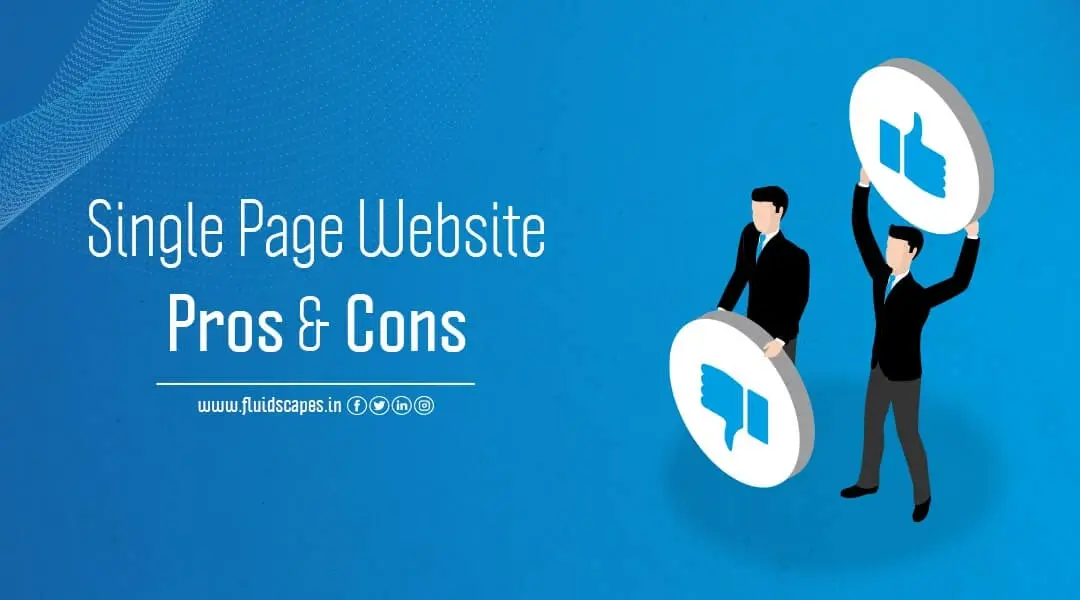
  • Single Page Website Pros And Cons

    Single Page Website Pros And Cons

    Websites are central to digital marketing. The bulk of the initial investment goes into developing a purposeful website. So, it’s no wonder that the emergence of the single-page website as a more cost-effective, convenient, and target-oriented alternative to the conventional website has created a new trend in digital marketing.

    But as all good things come at a cost, a single page website has some drawbacks, which makes multi-page websites more suitable for certain conditions. In this blog, we will discuss single page vs. multi-page website with some single-page website examples to understand the one-page website benefits and its drawbacks.

    What is a One-Page Website Design?

    A website that only has one HTML page is referred to as a single or one-page website. No other pages, such as an About, Features, or Contact Us page, are present.

    The user experience is made more continuous and fluid by the fact that content on single-page websites is fully loaded on the first page. Users can scroll down a single-page website to find various content sections, or they can click navigation links that let them jump to specific locations on the page.

    Single Page Website Benefits

    #1.Simplicity and Ease of Use

    The fact that single-page websites contain everything in one page, makes them simple to use and one of the main factors contributing to their popularity. There isn’t much that is simpler than a one-page website that has a distinct introduction, middle, and conclusion.

    A one page website design is ideal for websites with a single purpose due to its simplicity of use. The linear experience of this design helps to muster more attention from the users on your product or story

    People are realizing how helpful it can be to navigate a single-page website. There is more scrolling and less clicking on one-page designs. Single page scrolling website is advantageous because more users will likely stay on your site because they prefer scrolling to clicking. One-page designs offer a seamless and intuitive user experience as long as the design is kept simple and uncluttered.

    #2. Greater User Engagement

    It’s simple to understand that users get more engaged with one-page websites because they are just that—one page. Users will receive messages and calls to action more quickly on a one-page website. Because users are only interacting on one page, responding to your website’s calls to action is simpler.

    Because they are all in one location, they don’t have to look far to find a contact form or buttons that lead to your social media accounts. Additionally, since users are more likely to stay on your website longer, since they only need to scroll down one page as opposed to trying to navigate through pages, subpages, etc., due to our increasingly short attention spans.

    #3.More Attention to Quality

    With one-page websites, digital storytellers can create linear stories that are easy to read. One-page designs concentrate attention on a single page, giving content more bandwidth (and often more money). In comparison, multi-page websites offer fewer opportunities for creativity because each page must be optimised and quality is often overemphasized.

    A one-page layout also offers more space for images. Designers can tell a story using a variety of media, creating a more immersive experience for the user, rather than worrying about stuffing a page with content. Instead of worrying about making logical connections, the focus is on the content.

    #4. Results in More Conversions

    Since better user experience results in higher conversion rates, the one-page design scores much higher in terms of conversions. Conversion into sales should be your top priority when building a website to generate leads, sell goods or services, or even build an email list. A one-page website increases the likelihood that a user will take the desired action.

    One page reduces options and minimizes distracting factors. Your visitors won’t unintentionally switch to another page and forget to click CTA. The slow loading of pages won’t frustrate them after they decide to buy. It’s all right there on the page, and if your content is compelling enough, they won’t hesitate.

    #5. Easy to Access with a Mobile Device

    Another strong factor that makes single-page websites more on demand in many situations is that they can be accessed rather easily using a mobile device. In sharp contrast, multi-page websites will be very slow to load, which makes most users leave rather than deal with the hassle. The one-page design is by far the simplest to use on any type of device, even though many multi-page website designs are responsive and optimized for mobile support.

    #6. More Affordable and Easier to Maintain

    A single page website will generally be less expensive to build and maintain, even though the layout strategy may require a little more time and work. A single page website could be designed and built within just 10-15 hours, as opposed to a multi-page website, which could take three times as long.

    One-page websites are also simpler to maintain. Everything that needs to be fixed, altered, added, or removed is on one page. For website owners who don’t consider themselves experts in web design, this is especially helpful. For instance, if you choose WordPress as your web platform, you will only need to edit one page (with various buckets and sections). When your website goes live, the developer you work with should be able to show you how to maintain it.

    Drawbacks of One-Page Websites

    #1. Difficult for Keyword Optimization

    The number of keywords is a major factor in search engine optimization. In a single-page website the scope of keyword optimization is limited. You need to take a specialized approach to SEO if you intend to use a single page website. You must first pick your keywords carefully because you can only use a limited number. A page with an excessive number of keywords is considered spam, and search engines do not support spam.

    To make up for this problem, you’ll have to put in more effort to make sure that:

    • Your site loads quickly,
    • Your content is of the highest caliber (since you have fewer keywords to choose from),
    • You build lots of links.

    On a one-page website, it is possible to have good SEO, but you will undoubtedly have to put in extra effort. Remember search engines prefer content-rich, simple-to-read websites that focus on a single subject, which can match the features of a one-page website.

    #2. Not Ideal for Sharing

    This disadvantage results from the fact that it’s a challenging task to share information distinctly when there is a lot of it on a single page. Many times, only the top part of the page comes up when a user chooses to share your website, while the information intended to be shared belongs to the middle or lower parts.

    There are, of course, inventive ways to get around this. For instance, you could place social sharing buttons on particular sections of the page, but that would require some specialized coding and might make the page look cluttered. You are faced with the challenge of finding balance once more.

    #3. Difficult to Use Analytics

    Although usability testing can be used to improve a one-page design, it will be difficult to run most other analytics options. Google Analytics will only be able to determine who your visitors are and how long they spend on the page. But because it is a single page, it cannot determine which parts of the page are being most actively used by visitors.

    This presents difficulties on many levels. It is challenging to increase conversions with fewer analytics (although single-page designs tend to have better conversions). It also becomes difficult to figure out why visitors are leaving, which might lower bounce rates and have a direct effect on SEO.

    #4. Scalability is Compromised

    On a one-page website, you don’t have much option to add more content if required in future. To maintain the same page length, one option is to replace any existing content. Another option is to jam as much information as possible onto a page, which will make users scroll much further. Or, you can choose to make your website more extensive by adding additional pages.

    One Page Website Examples

    #1. Cookcollectivekitchen.com

    Cook Collective offers the entire kitchen and storage space on rent. This provides excellent opportunities to start and flourish a food business at minimum risk. It can be availed by virtual restaurants as well as by street vendors. The website communicates all of this information on a single page.

    #2. whatisBeyond.com

    Beyond is a music festival that promises spiritual and immersive experiences. This is conveyed on a one-page site with an outstanding header image. As you scroll down the page, you’ll learn more about the festival and its past participants.

    One-page websites can be ideal for promoting events. There may be less amount of text if the design requires so, to match the context or subject. You can use a large and attractive header image to draw the user in, and keep their attention with high-quality photos throughout the rest of the page, as shown by Beyond.

    #3. Roma

    Roma is a one-page website that educates the public about the exploitation of domestic workers. The site welcomes visitors with a full-width image and bold statement. The content lets you walk through the story without any disruption but provides three important links – Take Action, Roma Documentary on Netflix, and to jump to the next section. This helps you to navigate swiftly to any part you want.

    #4. The Art of Texture

    One-page sites are ideal for promoting documentaries and films, as illustrated in The Art of Texture. Provide more context by embedding them into your page and adding additional elements, such as a blurb and images.

    The website is devoted to a documentary about a college artist. A click on the Play Movie button will let you watch the documentary directly on the page. Also, there is a slideshow and a gallery of artworks on sale.

    Source- Fluidscapes
    We are one of the best digital marketing companies in India that provides online reputation management services to all types of organizations. We assist businesses to stay on top of the game by leveraging the latest technologies and breakthroughs in marketing strategies and business processes. Want to grow your business, even more, get in touch with us and we’ll tell you how.

  • 7 Quick Facts You Should Know About SEO

    7 Quick Facts You Should Know About SEO

    Going online and having an SEO-friendly website are the two primary requirements for any business, because a good online presence provides a competitive edge and takes the business beyond boundaries.

    A business cannot sustain it if there are not enough requirements for the product it deals in. The requirement is generated through search. The higher the number of searches the bigger the volume of requirements. Business owners and marketers are single-mindedly going for SEO in the first place.

    Conventional or retail businesses usually depend on the local market and therefore face smaller prospects and limited requirements. Online business armed with SEO provides access to more markets and ushers in bigger growth opportunities.

    So, what is SEO and what are the benefits of SEO?

    SEO is the short form of the key process called “search engine optimization.” In layman’s terms, it refers to a technique of improving the visibility of your website so that it appears more prominently when people search for products or services related to your company on Google, Bing, and other search engines. The higher your pages appear in search results, the more likely you are to attract attention and attract new customers to your business.

    Search engine optimization is a critical component of digital marketing, because people conduct trillions of searches each year, often with the commercial intent of finding information about products and services,

    Search is frequently the primary source of digital traffic for brands, and it works in tandem with other marketing channels. Greater visibility and higher ranking in search results than your competitors can have a significant impact on your bottom line. The following are a few proven SEO impacts that translate into higher growth for a business:

    • It ensures a better user experience.
    • It generates valuable leads for your business.
    • It results in increasing closing rates.
    • It causes physical visits by the local customers / prospects to your retail store.
    • It results in better cost management.

    Interesting SEO statistics or SEO facts emerged in 2022.

    • A search engine is the starting point for 68% of online experiences.
    • Google (including Google Images) currently controls 91.94% of the total search engine market, followed by Bing, Yahoo!, Baidu, and YANDEX.
    • According to 61% of B2B marketers, SEO and organic traffic generate more leads than any other marketing initiative.
    • Even if the purchase is made in a store, 63% of all shopping begins online.
    • According to 70% of online marketers, SEO outperforms PPC in terms of generating sales.
    • The top page in a Google search has a 32% average click-through rate.
    • 75% of people never go beyond the first page of search results.
    • Before making an online purchase, 66% of people conduct some type of online research.
    • The average Google first-page result contains 1,447 words.
    • Search engine leads have a 14.6% close rate, while outbound leads (such as cold calling, direct mail, and so on) have a 1.7% close rate.
    • 86% of people ignore paid banner ads in favour of organic search results.
    • Bounce rates rise by 9% when your website takes 2 seconds to load and 38% when it takes 5 seconds.
    • Every extra second it takes for your website to load reduces conversion rates by 4.42%.

    Top SEO trends and updates in 2022.

    Although the fundamental principles of SEO remain constant, the SEO algorithm updates and search trends evolve from time to time, which influences how we optimize our web pages. How has the advancement of search engine technology influenced your strategy this year? The following were the top SEO updates in 2022 that kept the traffic and keyword rankings on the rise:

    • Core Web Vitals
    • Keyword clustering
    • AI-generated content
    • People also ask
    • Content optimization software
    • Rich snippets
    • The democratization of search

    #1. Core Web Vitals

    This is about improving the user experience by using the following performance metrics:

    • Largest Contentful Paint (LCP): the time it takes for the page’s largest content asset to load.
    • First Input Delay (FID): the amount of time it takes your site to respond to a user’s first interaction with the page.
    • Cumulative Layout Shift (CLS): the number of unexpected layout shifts that occur during the page’s lifespan.

    #2. Keyword Clustering

    Keyword clustering is a more advanced keyword strategy that can help you improve your overall keyword rankings. It entails locating multiple keywords with similar search intent and using more of these clusters in developing web pages.

    #3. AI Generated Content

    AI-assisted SEO content tools such as CopyAi, Headlime, Jarvis, and others are on the rise, enabling content teams to produce more SEO-optimized content at a faster rate. With a few inputs, these tools can generate topics, titles, meta tags, paragraphs, and even entire articles.

    #4. People Also Ask

    The “People also ask” feature on Google’s search page now appears for approximately 48.6% of searches. Because of its prominent placement at the top of the SERP (and frequently above position one), everyone will want to rank their content in this coveted SERP feature.

    #5. Content Optimization Tools

    Content optimization tools can assist you in producing high-quality, semantically-rich content that ranks higher in Google searches. These tools identify keywords, subtopics, synonyms, and even common questions search engine crawlers are looking for on the page when promoting content using similar NLP algorithms as Google.

    #6. Rich Snippets

    Rich snippets assist Google crawlers in showing users the exact content they’re looking for, resulting in a better user experience. Schema markup is a microdata vocabulary that helps Google better understand and extract content from your pages, allowing them to appear as rich snippets that are more appealing and clickable for users.

    #7. Democratization of Search

    Although backlinks and Domain Authority are still important in 2022, search has become more democratic. Incumbents cannot rely solely on their authority signals to maintain top keyword positions, and newer websites have a better chance of ranking if they provide users with a high-quality, high-performing web experience.

    Source- Fluidscapes
    We are one of the best digital marketing companies in India that provides online reputation management services to all types of organizations. We assist businesses to stay on top of the game by leveraging the latest technologies and breakthroughs in marketing strategies and business processes. Want to grow your business, even more, get in touch with us and we’ll tell you how.
  • Should An eCommerce Store Have An App?

    Should An eCommerce Store Have An App?

    Using the right technology at the right time is a forward-looking attitude that helps a business register sustainable growth. Although the growth achieved by the Indian ecommerce industry in the past few years has been nothing less than phenomenal, it might reach the saturation point if it doesn’t identify the ensuing challenges and address them with innovation and technology.

    The years of lockdown gave an extra fillip to the ecommerce industry, which saw a rapid increase in the number of ecommerce stores at all levels. This is expected to boost further once the ONDC is in place to democratize ecommerce in India.

    But how to ensure customer loyalty when there are many ecommerce stores around? The rise in competition compels ecommerce companies to search for prospective customers and connect with them directly to showcase the products or services they are likely to buy.

    Addressing the challenges like these holds the future of ecommerce and forces owners to look at mobiles for solutions. Because mobile or smartphone users are naturally networked and trackable, they form a large chunk of potential customers, which is relatively easy to tap and use for making direct communication.

    Making direct and proactive communication with the end customers allows ecommerce to shorten their product supply-chain and provide the product or service of choice to them. And what can be a better solution than a mobile ecommerce app, for making direct or one-to-one communication with a customer?

    Mobile or smartphone consumption is going through the roof. India will likely have over 800 million smartphone users in 2022, and a large number of them will be glued to their handset for extended hours. So, what do your senses tell you if you are an ecommerce owner? Most likely, it would be to invest in your ecommerce mobile app development on a priority basis.

    Reasons for ecommerce app development on mobile

    #1. Ease of use, more flexibility, and access to billions of users

    People are on their mobile phones for almost everything they do: order food, book flights, pay bills, etc., because with mobile apps they can do everything with a single finger.

    Remember, you can use mobile apps on your tablet as well as your smartphone. Therefore, you will be able to build a brand based on the billions of users and devices that exist today.

    #2. Convenience of using ecommerce app vs. website

    With the cheaper data and meteoric rise in smartphone use, people remain online for a longer time and access the Internet anywhere, anytime. As a result, online searching and ordering takes place without any restriction of place and time, even when the people are traveling or are outside their homes.

    And what has made online ordering more convenient are the mobile apps. They basically translate the complex processes into a few simple steps. This makes things much easier and more straightforward for the customers, compared to using the website for the same. Because of this, mobile apps tend to have a higher conversion rate than websites on mobile browsers.

    #3. More engagement with existing customers and acquisition of new customers

    A mobile ecommerce application can introduce new customers to your company while also better serving existing customers by promoting new products and services, special offers, loyalty programmes, and so on. In turn, the company benefits from brand promotion and the opportunity to learn more about its customer base and their preferences. Companies will only benefit from going mobile by making their goods and services more accessible, easier to obtain, and use.

    Benefits of e-Commerce mobile app

    A mobile app provides numerous benefits, such as increasing user engagement and providing excellent marketing opportunities, as well as increasing average purchase price, revenue, and brand loyalty, allowing businesses to stay ahead of the competition. Let’s take a look at the most important advantages of having a mobile application for a business:

    #1. Improved Customer satisfaction level

    The goal of a mobile app is to meet the needs of consumers by providing comfort and ease of use of the services offered. It is far more dependable and personalized than traditional websites. It caters to the consumers’ “need for speed” by making any step to achieve their goals as easy and quickly without having to go through a series of clicks.

    #2. Improved data analytics and marketing campaigns

    A mobile app allows businesses to efficiently collect, analyze, and leverage customer data, which is critical for marketing and advertising, because the data collected allows you to make insight-driven decisions to improve your services.

    Apps enable businesses to use data-driven marketing tactics to provide a highly personalized experience for their customers by understanding their product preferences, search trends, and feedback. For example, marketers plan out various promotional and special offers to boost customer acquisition and loyalty.

    With push notifications, an app can quickly remind consumers of the last date of offer or new arrival of products to expedite purchase. This significantly increases mobile app engagement. Almost nine out of ten people surveyed by Google find shopping notifications on mobile useful if they add value.

    Furthermore, mobile apps provide vital insights into how long customers spend on the app, which functions are used the most and which are less, so content and features can be tailored to offer customers the content they want more effectively.

    #3. As an effective tool for branding

    Creating a custom mobile app helps you to gain a large number of new users cum potential customers who are more at ease using apps over other channels.

    Because mobile apps are always available on everyone’s phone, they serve as a source for obtaining all relevant information about your brand as well as a platform for showcasing new products and services. This certainly improves a brand’s digital image and allows businesses to form closer relationships with their customers.

    #4. Easy and hassle-free payment

    The majority of mobile apps allow you to connect one or more of your existing financial accounts to an integrated payment system. Such linking enables payment for goods to be made directly from the application, without the need for additional authentication with other resources. Customers save time by not having to enter their information multiple times.

    #5. Improving loyalty and brand awareness

    Mobile apps require minimal effort to search, explore, and order desired products or services in a matter of minutes, resulting in the best possible shopping experience. The more people interact with your brand and become satisfied with your business and services, the more they will reciprocate by increasing brand visibility, recommending you to their friends, and thus maximizing profits.

    Integrating personalization options and loyalty incentives options into the mobile app is a subtle way to build and keep a customer community. Customers are most likely to return if their purchases are rewarded with cash back, discounts, or bonuses.

    Building mutually beneficial relationships with customers leads to them becoming loyal users and brand advocates.

    Source- Fluidscapes
    We are one of the best digital marketing companies in India that provides online reputation management services to all types of organizations. We assist businesses to stay on top of the game by leveraging the latest technologies and breakthroughs in marketing strategies and business processes. Want to grow your business, even more, get in touch with us and we’ll tell you how.

  • Grow Your YouTube With SEO | The 7 Steps Guide

    Grow Your YouTube With SEO | The 7 Steps Guide

    Videos are great attention grabbers, excellent for engaging viewers. YouTube is the undisputed leader in video marketing and that can take your business to the next level if you can apply digital marketing strategies deftly. YouTube SEO is an all-important tool that helps your video rank high on the YT search results – the rest depends on the quality of the content.

    What is YouTube SEO and How it works

    We know that SEO is the process of optimizing content, so they rank higher in search engine results pages (SERPs). Similarly, YouTube SEO optimizes videos to rank high in YouTube search results.

    However, unlike Google, which evaluates rank based on backlinks and other factors, YouTube’s SEO strategy entails optimizing your channel, playlists, metadata, descriptions, and videos. Your videos can be optimized for search both within and outside of YouTube.

    The YouTube algorithm that ranks the videos in the search results for the queries is called “Page Rank,” which decides the order in which the results appear when people search on YouTube. The factors that affect the optimization of your videos are:

    • how relevant the content is to the search terms being used
    • popularity of the site that has posted the videos
    • How authentic is the source of the video
    • How many links come into the video.

    These are the common points that must be remembered when you set your YouTube SEO strategy.

    Why is YouTube SEO important for your videos?

    With at least 2.56 billion active users, YouTube is the second most popular social platform. Your videos will receive a lot of traffic if you rank high on YouTube. Videos and YouTube are such a powerful duo that every business wishes to have a YouTube account to run its videos. Without YouTube traffic, it’s nearly impossible to rank well on Google,

    It’s important to know how to rank YouTube videos fast when uploading a video to your YouTube channel because you are competing with 72 hours of new videos uploaded every minute on the platform. In order to be seen and heard among all the other noise, your content should have the major YouTube SEO checklist.

    YouTube performs well in the search engine’s algorithm because it is a Google product. This means that your videos are more likely to appear in search results, especially if you’ve implemented the proper search engine optimization (SEO) practices. If you want to launch your YouTube channel and are looking for YouTube SEO for beginners, here are the top 7 YouTube SEO tips:

    #1. Customize the URL

    Customizing your YouTube URL allows you to share your page more easily while also adding legitimacy to your channel. According to Google, your channel must have the following features to be eligible for a custom URL:

    • There should be at least 100 subscribers.
    • Should be made at least 30 days ago.
    • Having a suitable profile picture
    • Having a banner image

    Once approved, you can create your custom URL through your basic information settings, an email notification, or a notification on your channel’s dashboard. Make sure the URL accurately represents your company and is easy to remember for the best results. Your URL will be youtube.com/yourcustomizedname once created.

    Add a 30-60 second channel trailer to your YouTube page to make a great first impression.

    #2. Have a short, smart, and informative about page

    When it comes to effective YouTube SEO, it’s critical to take advantage of every available feature to provide additional context about your page. To do so, make sure to finish your YouTube channel’s About page and include important information about your company.

    Because only the first 48 characters of your About section will be displayed in search results, describing yourself succinctly with relevant keywords can improve on-page search visibility.

    Choose a thumbnail and main banner for your channel that feels like an extension of your website.

    #3. Use a crisp and keyword-rich title and description

    Once your page is up and running, make sure that you always include keyword-rich titles and descriptions for each video you upload. Before uploading your raw video files to the platform, rename them with a target keyword.

    Keep your title to 60 characters or less to avoid having it cut off in results pages.

    While descriptions can be up to 5,000 characters long, only about 100 will appear beneath the video before prompting a “Read more…” option. As a result, it’s critical to get the main points across early in the description, along with a call to action (CTA) if applicable.

    You can also add transcriptions to the description section for all of your videos. Text transcriptions will most likely naturally target keywords. This can assist crawlers with better understanding the video’s content.

    The use of relevant keywords in video tags is another way to tell YouTube what the video is about.

    #4. Use unique video thumbnails

    Making your video thumbnails unique will help your videos stand out. It’s also a good way to make your overall page look professional and comprehensive. Thumbnails can be customized with elements such as:

    • Dynamic, brand-specific colours
    • Banners
    • Keyword-rich thumbnail text
    • Distinctive title cards

    If you don’t customize your thumbnails, the YouTube platform will frequently choose a still from your video at random, which may make your channel appear less cohesive.

    Be sure to mark up your videos with Schema tags if you add them to your website.

    #5. Make a playlist to increase watching time.

    On YouTube, the most important metric is watch time, which is increased by threading together multiple videos on similar subjects into playlists. Viewers can select videos from a playlist, and the videos in the playlist will play automatically rather than requiring them to select each individually.

    Relevance, engagement, quality, and personalization are the factors that influence the YouTube ranking. You could make playlists for webinars, client testimonials, how-tos, or frequently asked questions based on your videos and industry.

    #6. Take all measures to increase your subscriber base

    You can improve your YouTube SEO by focusing on increasing the number of subscribers to your channel. Embedding videos in emails and on your website (such as landing pages and blogs) is a great way to get your channel noticed.

    You can promote each video with a blog post, or you can cross-promote your videos and channel with e-books, webinars, presentations, and lead magnets.

    If you do include videos on your website, make sure they are properly tagged with Schema tags for video. This may also help videos rank higher in search results. Google Search Console provides video Schema reporting, which can be useful for gathering insights.

    #7. Add captions or subtitles

    By adding captions or subtitles to your videos, you can reach a wider audience. This makes your videos more ADA compliant, inclusive, and accessible to those who are deaf or hard of hearing. Moreover, it allows you to reach viewers who may not want the sound on because they are in a quiet environment or do not have headphones.

    There are numerous options for creating captions or subtitles these days. While auto-generated captions may be faster or less expensive, they are more prone to errors because the audio is not being transcribed by a human.

    Wrap up

    It can be very profitable for your business to increase exposure to a YouTube channel, but it heavily depends upon how you promote your YouTube channel . You can better position your video content to appear in search engine results and reach as many viewers as possible by following YouTube SEO best practices.

    Source- Fluidscapes
    We are one of the best digital marketing companies in India that provides online reputation management services to all types of organizations. We assist businesses to stay on top of the game by leveraging the latest technologies and breakthroughs in marketing strategies and business processes. Want to grow your business, even more, get in touch with us and we’ll tell you how.

  • Top 7 Reasons To Choose React Native For Mobile App Development

    Top 7 Reasons To Choose React Native For Mobile App Development

    The way mobile apps are being used left, right, and center by the companies, it clearly indicates that apps have become a prime component of the business strategies the world over. And the good news is that it will be much cheaper and better now for the companies to launch their apps. React native mobile app development framework is revolutionizing the mobile app development industry with their cross-platform solutions that allow developers to write virtually a single app that can work like a native app for both Android and iOS platforms.

    React native is indeed a breakthrough technology, which will help even smaller businesses to target user groups on both platforms at the cost of one. Before we go further to find out the benefits of React Native, let’s first understand the basics:

    What is React Native?

    React Native is an open source mobile app development framework created by Facebook. React Native is making waves because it is cross-platform, comprehensive, and considerably less expensive and time consuming when compared with the time and money required for developing native apps for each platform.

    It combines the best features of native development with React, an industry-leading JavaScript library for building user interfaces. The React primitives render to native platform UI, therefore your app will be able to access native platform APIs just as other apps. So React Native Android apps and React Native iOS app are basically the different versions of the same source code.

    Why choose React Native for your cross platform application development?

    Most of React Native is written in JavaScript, a language used for web development. This makes it easy for JavaScript developers to develop mobile apps in React Native. In addition to saving time, this also eliminates the need for developers to learn complex languages like Objective-C and Java.

    Moreover, JavaScript components are built on iOS and Android components, so developers don’t have to create the same app again. As a whole, React Native is a win-win for businesses in terms of saving time, effort, and money. So, create your first react native android app development.

    Now that we have got an outline of React Native, let’s explore why businesses are exceedingly opting for React Native apps over the native apps. Here are the top seven benefits:

    #1. Reusability of Code

    The most significant advantage that React Native mobile app development framework offers is that developers do not need to write separate code for each platform (Android and iOS). In fact, approximately 90% of the source code remains the same when used on either platforms, significantly increasing development speed and efficiency. As a result, you can target faster launch of your apps and much less maintenance.

    #2. Beautiful UI experience

    React Native’s pre-built declarative components, such as Picker, Button, Slider, Switch, and so on, enable you to create unique, eye-catching UIs. TouchableNativeFeedback and TouchableOpacity can also be used to create your own components. There are an abundant number of Android and iOS specific components, as mentioned below, available with React Native to make its apps run flawlessly on Android or iOS mobile devices:

    • Android – DatePickerAndroid, DrawerLayoutAndroid, PermissionsAndroid, ProgressBarAndroid, TimePickerAndroid, ToastAndroid, ToolbarAndroid, ViewPageAndroid, etc.
    • iOS – ActionSheetIOS, AlertIOS, DatePickerIOS, ImagePickerIOS, ProgressViewIOS, PushNotificationIOS, SegmentedControlIOS, etc.

    #3. Native Appearance and Feel

    React Native allows you to build truly native apps without compromising your users’ experiences. You can use it to create text, images, keyboard input, scrollable lists, progress bars, animations, clipboards, and links. These components are directly integrated with the platform’s native user interface building blocks, thereby greatly speeding up the app development time.

    #4. Implement Live Changes

    React Native’s live reload feature allows you to check and implement changes in real time. While the app is loading, you can make changes to the code, which will be reflected in the app with an automatic reload. Similarly, you can also reload a specific area of change to speed up the compilation process. The hot reloading feature also saves you time since it allows you to reload your app without recompiling the entire code.

    #5. Cross-Platform Integration

    Make one code, use it everywhere. You can save time and money by building cross-platform apps. However, you must still make some platform-specific adjustments.

    React components encapsulate existing native code and communicate with native APIs using React’s declarative UI paradigm and JavaScript. This not only enables new teams of developers to create native apps but also allows existing native teams to work much faster.

    #6. User Interface Concentrated

    React Native makes use of the React JavaScript library to create fast and responsive app interfaces. It has excellent rendering capabilities and employs a component-based approach, which helps it to easily create both simple and complex UI designs.

    #7. Expedite your app development using the third party plugins

    Because developing an app from scratch can be costly, React Native provides a variety of third-party plugin options, from the large pools of JavaScript-based as well as native modules. Third-party plugins remove the need for specific web view functions while also improving the app’s functionality and performance.

    A top-notch app development company in India, Fluidscapes, offers React Native mobile app development services for iOS and Android platforms, At the core of React Native’s cross-platform apps is a very powerful React Native javascript library that empowers developers to create native-like apps on both platforms at almost half the native mobile app development cost.

    Source- Fluidscapes
    We are one of the best digital marketing companies in India that provides online reputation management services to all types of organizations. We assist businesses to stay on top of the game by leveraging the latest technologies and breakthroughs in marketing strategies and business processes. Want to grow your business, even more, get in touch with us and we’ll tell you how.