Category: Tech Services

  • 7 WordPress Maintenance Tasks You Must Perform Regularly

    7 WordPress Maintenance Tasks You Must Perform Regularly

    All businesses are going digital and having a well-structured website is their basic need. Nearly 40% of the websites in recent years have been developed on WordPress. But few business owners are aware that websites develop impediments over a period of active use and therefore must be maintained periodically. This blog will give some insight into WordPress maintenance.

    Regularity in your WordPress website maintenance is crucial to ensuring that your site is running at full capacity. As regular maintenance keeps your car in best condition, proper and regular website maintenance services keep your website updated, secure, and agile, to provide a smooth navigation experience to the visitors.

    So, if you are thinking about how to maintain my WordPress website, here it is.

    WordPress website maintenance involves a few tasks, such as ensuring that your website is secured with timely backup, the forms are doing fine, the page loading is fast, and so on. But these are not one time tasks, rather they should be conducted from time to time. Your website maintenance requires you to have a watch on all UX aspects.

    Here’s an easy-to-use monthly WordPress maintenance checklist along with some tools and plugins that’ll help:

    #1. Install a WordPress Maintenance Plugin

    It is always advisable to put your WordPress website on maintenance mode before starting any maintenance activity. This reassures your visitors and prevents them from creating a bad impression about your website. You may use a WordPress maintenance plugin to display a WordPress custom maintenance page that may simply read “Coming soon, site under maintenance” message to the visitors during the time your website is under maintenance.

    #2. Insist your customers/users to change their passwords

    Passwords are your first line of defense against unauthorized website access. For all of your online accounts, you should only allow strong, unique passwords. Your WordPress website, FTP accounts, and database are all part of this. However, even strong passwords also could be compromised without your knowledge.

    That is why WordPress security experts advise changing your WordPress passwords frequently. Passwords for your WordPress admin area, FTP or SSH accounts, and your WordPress database password are all included.

    The issue with strong passwords is that they are more difficult to remember. As a result, we recommend using password manager apps such as LastPass to securely store and easily fill passwords without having to type them.

    #3. Test the forms on your website

    Webforms are the request forms that the users fill up and submit in order to request for registration and other services. In a way the forms are like gates through which the customers enter your business, so they must always be up.

    Form building plugins for WordPress like WPForms make it super easy to create beautiful forms. These forms may, however, stop sending emails or SMS, if there are configuration problems with your WordPress hosting server, email provider, or the mobile service provider.

    It is important to make sure that all forms on your website are working correctly. Perform mock tests from time to time to check if your WordPress website is sending emails or SMSs properly. Follow the WordPress guide to fix the issues, if there are any.

    As a best practice, we recommend using WP Mail SMTP plugin because it has email logging, and it will alert you when an email fails to send.

    #4. Backing up your website using backup plugins

    Backup plugins are one of the most important WordPress plugins in your arsenal. There are numerous excellent WordPress backup plugins available, such as UpdraftPlus and BackupBuddy. These can assist you in fully automating the WordPress backup process.

    However, your automatic backup process may suddenly stop working without your knowledge. So it is advisable to run your backup plugin manually once in a while to take a full backup of your website. Check that your backup files are properly stored at the remote location of your choice (Google Drive, Dropbox, etc.) after a backup is completed.

    #5. Make sure to update your WordPress

    WordPress includes a system for managing updates to the WordPress core, plugins, and themes. You should make sure to update WordPress to the latest version and keep all of your plugins and themes up to date.

    Having said that, there are times when you may miss an update. When the license of a premium plugin or theme expires, for example, it may fail to check for updates.

    To manually check for updates, navigate to the WordPress Updates page. Examine all of your installed plugins and themes to ensure that they are up to date. If they aren’t, make sure to document your reasoning for not updating.

    #6. Optimize your WordPress database

    The majority of data in WordPress is stored in the WordPress database. It houses all of your content, comments, users, and preferences.

    Your database may accumulate a large amount of unnecessary data over time. This increases the size of your WordPress backups, which may have an impact on uploading, downloading, and restoring backups.

    You can clean up clutter, defragment tables, and improve database performance by optimizing your WordPress database.

    See our guide on how to optimize your WordPress database with one click for step-by-step instructions.

    #7. Run the performance test of your WordPress website periodically

    You may add new content, install new plugins, or even change the theme as time passes. All of these factors may have an impact on the performance of your WordPress site.

    Faster websites not only improve user experience, but they also boost your SEO rankings. This is why you should conduct a thorough performance review of your website on a regular basis

    Besides focusing on improving your homepage when reviewing your site’s performance. test all other pages and content as well.

    Source- Fluidscapes
    We are one of the best digital marketing companies in India that provides online reputation management services to all types of organizations. We assist businesses to stay on top of the game by leveraging the latest technologies and breakthroughs in marketing strategies and business processes. Want to grow your business, even more, get in touch with us and we’ll tell you how.
  • 7 Reasons To Outsource Services From A Web Design Company

    7 Reasons To Outsource Services From A Web Design Company

    Is your website looking a little outdated and unprofessional? Then it’s time to beef up your web design and add structure to your site. This blog suggests a few reasons to outsource services from a web design company.

    Outsourcing services from your web design & development company can help you create a cohesive and professional look on your site, reducing the stress associated with maintaining a single design.

    What is Outsourcing Services?

    Outsourcing is the use of outside professionals to perform services, typically in a financial context, for an employer. This is often done to avoid having to deal with the issues that face a limited staff and a saturated market. Or to avoid having to hire outside contractors at a time when there isn’t a lot of demand for their services.

    The service provider must be paid the agreed contract value. Once the work is completed, the contractor may be paid a percentage of the revenue generated from the service, or be considered as though he or she were hired for that purpose.

    Below mentioned are a few benefits of outsourcing services and reasons to outsource services from a web design company:

    #1. Website Looks Better

    Outsourcing is great because you don’t have to pay a lump sum. Only the services you pay for are provided, and a percentage of the fees goes to the contractor. As a result, you get better content and user experience when using a certain website.

    #2. Preserve An Enormous Amount of Money

    The costs of hiring in-house employees can consume a large portion of your budget. Due to this, many professionals avoid hiring locals. It is even more important when you hire contract workers for short-term projects.

    Outsourced specialists can provide better results at a lower cost. By outsourcing services, you pay considerably less for the same level of work. Thus, you would save a huge amount of money that could be used for other purposes.

    #3. Growth of Business

    You can also identify new business opportunities by hiring a remote team. You can quickly identify potential work areas in their region by regularly interacting with the new group. It extends up new horizons for your company and lets it reach a broader audience.

    #4. Round-the-clock Support

    When one selects tailored outsourcing services from a web design company & web design development company, they often offer additional assurance support even after the project gets completed. Can consult additional help at the contract stage, so one doesn’t have to fear skipping out on help when needed. One can ask for round-the-clock support/service for free of charge or at a discounted rate. The outsourced team carries all the hassle without panic.

    #5. Employ Field Experts

    A company can also employ a field expert who is a specialist in the field and can watch the progress. A professional field expert can direct developers to sidestep the errors they usually make. It will preserve a lot of time and excessive stress that one would otherwise experience.

    #6. Refill in the Talent Gap

    One gets access to numerous skilled web developers when one outsources web design services. Experts with knowledge and skills can be found in this way. Specialists aware of your requirements and services can fill the talent gap. The most useful way to evade problems associated with employing inexperienced professionals is to test the outsourced services first.

    #7. Timesaving!

    Managing in-house staff will take time away from networking and working on your business. Outsourcing organizations handle all the complexities associated with recruiting, supervising, and retaining their staff daily, so you don’t have to worry about those things. Getting some recruits accustomed to your board won’t take up your valuable time. Founders of startups understand this best – the sooner you can deliver a cutting-edge digital product, the better.

    More!

    Besides the obvious advantages of being a part of a large company, outsourcing services can also provide advantages that aren’t even worth discussing. For example, if you find yourself with a small team, or if you need to do some work in a pinch, an outsourced design team can be a great resource. They can help you out with content, design, and the execution of your project

    Conclusion

    Outsourcing services from your web design company can help you get a better website with less stress. Additionally, you can receive paid compensation for the work you perform, and get a better experience when using your website. With this in mind, it’s important to understand which services are Outsourced, and which can be done independently.

    Source- Fluidscapes
    We are one of the best digital marketing companies in India that provides online reputation management services to all types of organizations. We assist businesses to stay on top of the game by leveraging the latest technologies and breakthroughs in marketing strategies and business processes. Want to grow your business, even more, get in touch with us and we’ll tell you how.

  • 7 Ways To Minimize Your Email Bounce Rate In 2022

    7 Ways To Minimize Your Email Bounce Rate In 2022

    It’s 2022 and the email bounce rate is 0%. Feels good? Read to know how this is possible. Have questions about how email marketing works or what a hard bounce rate is? Or how to calculate the bounce rate? Fret Not! You are not alone.

    A lil’ bit about emails

    When you send emails, whether, for marketing or any other purpose, you want as many people to open them as possible. A low email open rate can mean that your emails get marked as spam before they’re ever seen.

    This blog suggests ways to minimize your email bounce rate in 2022. Read on to know more.

    All about bounce rate

    You can improve your email open rates by minimizing the percentage of emails sent that “bounce back”, i.e., are returned by the receiving server due to an invalid recipient address or an inability to deliver the message.

    Let’s first learn why do emails bounce? There are ample reasons why your emails bounce and it is challenging to operate out why an email failed to reach its intended recipient.

    It might be because either the recipient no longer has access to the email account. The email account has been dormant or inactive for a longer period or has been deactivated/deleted. This is also called Hard Bounce emails.

    The email server is under maintenance. The recipient’s email inbox is full. You might be on the blocked list of the recipient. These categories are termed Soft Bounce email.

    It’s best to look at your bounce rate as a whole instead of getting stuck on why your emails weren’t delivered. Calculating your email bounce rate is important. This is the email bounce rate formula:

    This blog will teach you how to reduce the number of bounced emails and why this matters so much for your email marketing efforts.

    Ways to Minimize Your Email Bounce Rate:

    1) Use a reliable sending domain: A good starting point is to use a reliable sending domain, like Mailgun, Sendgrid, or Mandrill. These services allow you to create virtual “sending” addresses which can be used in the email content and headers of your messages.

    Make sure that this address is not associated with any other domains that no longer exist and are blacklisted by major ISPs (e.g., Gmail and Outlook).

    If possible, get yourself an SSL certificate so that recipients know they’re dealing with a legitimate brand/organization and not some scammer spoofing their address as part of an email campaign designed to steal personal information from unsuspecting victims!

    2) Get rid of manually-entered email addresses: Manually-entered email addresses are a bad idea. The reason for this is simple: manually-entered email addresses are more likely to bounce, more likely to be fake, and more likely to be invalid.

    This is because if you’re entering an address by hand instead of through some sort of automation, there’s a good chance it was entered incorrectly in the first place.

    And since many websites will send that error message back as part of their bounce response, your bounced email count could skyrocket out of control if you don’t keep track of it!

    3) Remove role accounts (sales@, info@, support@, etc.): It is important to remove all role accounts from your email marketing strategy. Role accounts are unlikely to receive any engagement from customers because they are usually inactive, unengaged, and not a source of revenue for businesses. If you want to reduce bounces on your emails, remove role accounts altogether or create separate lists for them.

    4) Send mails to engaged subscribers: Sending to engaged subscribers is an important part of maximizing your email deliverability. This means sending your emails to people who have opened and clicked on past emails, as well as those who have interacted with them in some way.

    Some ways you can do this include: Sending to specific segments that have engaged with your brand previously. Automatically add contacts who open or click on a series of emails into a segment for future messaging purposes.

    Run an email campaign for one of your products or services, but ensure it only goes out to those who have bought from you.

    5) Pause/remove unengaged recipients from your list: If you’re sending to recipients who aren’t opening or clicking your emails, it can decrease your overall engagement rate.

    If a recipient hasn’t opened any of your messages in the past six months (or another set timeframe), it may be time to pause that person from receiving further emails.

    This is especially true for transactional emails like welcome series, receipts, and order confirmations. These types of messages are frequently sent by companies when someone makes a purchase or registers for something online.

    If potential customers don’t open them, they can start to feel spammy and annoying; therefore decreasing their likelihood of buying again in the future.

    6) Warm up your IP address: To warm up an IP address, you can send a few test emails to the same email address. You should do this at least once or twice a day.

    You can also send a few test emails to people who are on your contacts list, but not necessarily your mailing list or people who have purchased from you in the past.

    You may want to let them know that it’s being done so they don’t think they’ve been spammed by someone else and then delete it without opening it (this happens).

    The key thing here is consistency; if you’re sending out hundreds of emails every day, then one test email per person is fine, but if there are thousands of recipients on each campaign and only 10 tests per day… Then yes – go with more like 50!

    7) Validate incoming opt-ins: It’s important to validate the email addresses of your subscribers before you send them any emails. This is a simple thing that can have a big impact on your bounce rate because it will weed out people who don’t exist or are using invalid addresses.

    Let’s say someone types in “@gmailmail.com.” but they meant “@gmail.com.” If you send an email there, it won’t get delivered and it will look like an invalid address when checking your bounce rate stats—which could lead to more bounces and lower open rates on future messages sent out after this one gets ignored (and maybe even reported as spam!).

    Monitor and fix your bounce rate regularly

    You should monitor your bounce rate regularly to help you identify issues with sending emails to the wrong people. You can do this by installing a spam filter and checking in on it periodically, or by setting up an automated email that alerts you when your bounce rate starts to climb.

    Once you’ve identified a problem, fix it! This can be as simple as updating your contact list or getting rid of inactive contacts who no longer open emails from your business.

    Conclusion:

    We hope this blog post has helped you understand how to handle your bounce rate.

    It’s our goal at FSC to help marketers and business professionals get the most out of their email marketing campaigns, so we encourage you to reach out with any questions or feedback! We’d love to hear from you.

    Source- Fluidscapes
    We are one of the best digital marketing companies in India that provides online reputation management services to all types of organizations. We assist businesses to stay on top of the game by leveraging the latest technologies and breakthroughs in marketing strategies and business processes. Want to grow your business, even more, get in touch with us and we’ll tell you how.

  • 7 Best Web Design Trends To Look In 2022

    7 Best Web Design Trends To Look In 2022

    Is web design heading to be a new form of art? Well, the striking impressions made by some websites do evoke such thought in mind, thanks to amazing progress in softwares and the new breed of developers with artistic sense.

    Nearly a third of the world population spend long hours on the web. That is a very big virtual marketplace already and expanding. The businesses are jostling to establish their presence on the web, giving developers the scope and space to experiment and introduce new web design trends.

    What Makes a Web Design Stand out?

    However, it’s not just the visual effects that makes a website stand out. Modern websites are increasingly becoming like one-stop shops where the customers can get all relevant information and avail a variety of utilities to complete a purchase process. This makes the inclusion of the new technology based utilities an important aspect of website design ideas.

    If you think it’s time to revamp your website, better take a look at these 7 website design trends of 2022 to set priorities:

    #1. Return of bold big fonts in modern web design

    Trends keep coming back. Titles with big, bright, and bold fonts are again taking the center stage, either in black against white background or in other vibrant color combinations. Websites are becoming brighter, sharper, and more innovative in their design, replacing shades of gray and pale colors.

    Enlarged text fonts and saturated colors are going to be the dominating influence in website design ideas to create an instant impact on the target audience. It’ll make your website very appealing and stand out from the rest.

    #2. Kinetic typography to lead the web design trends in 2022

    Kinetic typography, often known as motion typography or animated text, is the art of combining movement and text. It attracts viewers’ attention by challenging them to visually trace words that travel across, up, or down the page, defying horizontal text standards.

    It can also employ color, font size, and font selection to highlight specific words. This, in turn, can elicit specific feelings in the viewer/reader, especially when combined with audio that uses appropriate emphasis and intonation.

    Animation is a powerful tool for expressing your ideas with graphics that are fun to watch and interesting to read. The characters can fly, float, grow, unfold, or turn.

    #3. Memphis design brings a new era in web design

    Memphis design, which was once thought outrageous is making waves in the field of website design and is set to be a major trend in 2022. Memphis Design is a design approach from the 1980s that is defined by a scattering of vividly coloured shapes and lines. Circles and triangles are frequently combined with black-and-white graphic motifs such as polka dots and squiggly lines.

    The secret of Memphis style becoming a trend in modern web design is that it helps to grab the attention of viewers from afar. It’s fun, an oasis of color and vibrancy in a monochromatic, minimalist world.

    #4. Monochromatic web design ensures no color clash

    A monochromatic color scheme in website design employs a one-color scheme made up of varying tones of the same color. Once you’ve decided on a base color, you may use a color wheel to select other shades of that same color, changing the saturation and tone of the base color to select brighter and darker hues.

    Designing monochromatic websites has some advantages, such as no or very little color clashes and fewer distractions that help users focus on the content.

    #5. Accelerated mobile pages (AMP) for high speed loading

    Revival of AMP is on the cards that will enhance the mobile web browsing experience in 2022. AMP is an open source HTML framework developed by Google that can load web pages at a lightning speed. In addition, AMP can help improve the core business metrics such as the amount of conversions on web pages, and also minimizes the bounce rate.

    Although AMP adoption has been trending somewhat downward since 2020, it remains the most prevalent mobile technology used globally, appearing on 35% of websites that employ mobile technologies and more than half of the top 10,000 websites.

    $6. Single-page applications (SPA) for high speed processing

    Single-page application (SPA) is one of the most significant current innovations in web development. In a SPA, the JavaScript-based online application loads a single HTML page in a visitor’s browser and dynamically rewrites the same page with new data from the web server as needed.

    This is in stark contrast with the traditional method of loading new pages entirely, and therefore results in much faster transitions. With the help of SPA, websites provide native app-like experiences to the users.

    #7. Motion UI to boost UX web design

    The surge in smartphone use raised the popularity of motion design as a vital UX web design tool. Consumers today want not only faster and more mobile-friendly digital experiences, but also richer and more interactive ones.

    Adding motions to the user interfaces turns your website very interesting to explore. Using motion UI techniques, you can create an object that slides, spins, bounces, and does many other types of movements.

    Motion UI is a front-end framework that allows developers to create completely responsive web pages and mobile applications while also utilizing predefined motions in a native app scenario.

    As the virtual marketplace is set to dominate the business space at a fast pace, the importance of having an effective website is coming to the fore. A pleasing, smart, active website that provides a high level of user experience keeps a business ahead of the competition.

    Source- Fluidscapes
    We are one of the best digital marketing companies in India that provides online reputation management services to all types of organizations. We assist businesses to stay on top of the game by leveraging the latest technologies and breakthroughs in marketing strategies and business processes. Want to grow your business, even more, get in touch with us and we’ll tell you how.
  • Most Common E-commerce SEO Mistakes To Avoid In 2022

    Most Common E-commerce SEO Mistakes To Avoid In 2022

    Introduction:

    E-commerce is one of the biggest and most competitive industries in the world. Getting your products to rank high enough to convert can be a challenge. So how do you ensure that your products are ranking?

    In this blog, we will read about the most common e-commerce SEO mistakes made by brands and retailers and show you how to avoid them. But first, let’s read about why SEO is important for e-commerce websites.

    Why is SEO important for e-commerce websites?

    E-commerce websites need SEO to attract more potential customers. The biggest reason for the popularity of e-commerce websites is that they offer convenience to users who are looking for products.

    Using on-page SEO for your e-commerce website or off-page SEO for your e-commerce website can help you get noticed on Google’s search engine results pages. Even if you already have your website, but it does not have enough traffic, it cannot help you much.

    But if you invest in SEO and get more traffic from search engines, then it will be easier for you to grow your business rapidly. Did you know that over 90% of online customers begin their search for products on websites? That’s why it’s so important to establish a strong presence for your e-commerce business.

    By optimizing your website with SEO, you ensure that potential customers can easily find your products and services, ensuring that your customer’s journey is seamless from start to finish.

    Avoid these e-commerce mistakes to ensure you keep your e-commerce site ranking high.

    With a clear understanding of the e-commerce mistakes to avoid, you can be sure that your e-commerce site will continue to rank well in 2022. To ensure this happens, it’s important to understand what not to do as well as what you should do.

    The following points are some common mistakes to avoid in 2022.

    Lack of Internal Linking

    Internal linking is one of the most important aspects of SEO for e-commerce sites. Internal linking helps search engines understand your content and improve their understanding of your site, but it also has a very positive impact on users’ experience of your site.

    Internal linking can help improve user engagement because it enables users to easily navigate the site. It also helps build a strong site architecture.

    One should aim to make sure that each page has links back to other pages on your website so that you have a solid flow between all your pages and they don’t feel like standalone islands in the middle of nowhere!

    No Product Category Pages

    Product category pages are important for SEO. But did you know that product category pages also help improve user experience? That’s because they are a great way to showcase your store’s entire inventory by providing users with a comprehensive list of relevant products and links to them.

    Product category pages also allow you to create internal links between other parts of your website, which can help boost SEO efforts further down the line.

    No Product Detail Page Optimization

    The product detail page is the most important page on your website. The goal of this page is to convert visitors into customers and then sell those customers more products.

    The best way to do this is by using detailed descriptions and images that highlight the key benefits of what you’re selling, like “It’s waterproof for up to 100 feet!” or “This shirt will make you look richer.”

    A good SEO strategy will help bring more traffic to your site from people looking for similar products based on keywords they type into Google or other search engines when searching for something specific rather than just typing any old word into a box because it sounds modern and better.

    Lack of Quality Content

    When you’re writing e-commerce content for your website, it’s easy to get caught up in the idea that you need to write about products and services. While this is true, it’s also important to remember that the most important part of your SEO strategy is not just what products and services you sell, but how well those products and services are presented on your website.

    The takeaway here is to spend more time creating content that people want to read rather than simply hoarding blog posts full of keywords so Google will rank them higher in search results.

    Content marketing focuses on telling stories rather than making sales pitches—and those stories need to be interesting enough that readers come back, again and again, to experience them again (even if they don’t buy anything).

    For example, if a new visitor comes across an article headline with words like “best” or “trending” or “top,” chances are he won’t even click through because he doesn’t care about being told what’s popular; instead, he wants something original!

    Here are some more tips for our readers:

    • Fret not to take risks and try something new. There are many ways to improve the SEO strategy that may sound counterintuitive and counterproductive; don’t let that steer you away from trying new things!
      If a tactic has worked for others but doesn’t seem like it would work for you, give it a shot anyway! Sometimes the most unconventional ideas or original ideas are often the most effective ones too.
      Just remember: If something isn’t working out as planned or wasn’t worth the time and energy invested in it at all (or worse yet has negative consequences), cut your losses quickly and move on before they become catastrophic failures instead of minor setbacks.
    • Don’t stop asking questions! You never know when someone else might have an answer—or even better yet—a solution! In addition: listen carefully when someone advises because sometimes they will share something which could mean nothing at first glance but holds great importance later down the line…and vice versa.”

    Conclusion

    We hope this blog post has helped our readers learn more about e-commerce SEO services, and how to avoid some common mistakes that many businesses make.

    Lastly, the website must have everything it needs to rank well since, without traffic, you can’t sell anything. E-commerce site owners must be aware of these issues and take steps to avoid them to continue finding success online.

    Source- Fluidscapes
    We are one of the best digital marketing companies in India that provides online reputation management services to all types of organizations. We assist businesses to stay on top of the game by leveraging the latest technologies and breakthroughs in marketing strategies and business processes. Want to grow your business, even more, get in touch with us and we’ll tell you how.
  • 7 Tips To Improve CTR In 2022

    7 Tips To Improve CTR In 2022

    Introduction:

    The primary goal of any website is to rank at the top of the search engine, which can be done by implementing a few changes in the SEO strategies and writing services. The effectiveness and success of such efforts made to rank the website on top can be measured by the organic Click-Through Rate (CTR) or simply organic CTR. This blog explains our readers’ questions like What is CTR? Why is it important? How to improve click-through rate and tips to improve click-through rate.

    What is the click-through rate (CTR)?

    A click-through rate or CTR is a mark used to measure the efficacy of marketing campaigns. It’s the ratio of individuals who click on the website link or ad when they see them. When the clicks are more on Google ads, it confirms that the ad is relevant and seems interesting to the targeted audience. The formula or method of how do you calculate CTR is CTR = (click-throughs/total no. of impressions) x 100.

    Why CTR is important?

    To put it in simple words, the CTR is an indicative signal of the success of one’s marketing campaigns or strategies. By calculating how many individuals have ended up clicking on the ad or link after glimpsing it. It demonstrates the strength or weakness and quality of your ad copy or website link, imagery, positioning, and keywords. Improving CTR is one of the quickest ways to improve conversions and eventually generate more sales or visitors to the website. To calculate whether one is doing a good job at paid tracking and display advertising, with SEO or keywords, or with your email marketing campaigns, one should try and compare the CTR to your industry averages.

    What is a good CTR?

    Now that we know why CTR is important, we should now check what is a good click-through rate or what is the best CTR?. There are a few case studies on what is an average CTR to help marketers resolve “What is a good CTR?”. However, if one asks what a successful or a good CTR is, no one will probably ever get a clear, factual answer. And as there is no exact number to decide and share what a good CTR is, 2% is average for an entire account across all verticals which was found in a few case studies. This indicates some campaigns inside the market could be performing more profitably and some could be performing worse which is a case of alarming for marketers. Anything higher than 2% is above average suggests a few studies by marketers.

    Tips to improve CTR in 2022:

    We all have read about what is a good CTR and why it is important, but how can we resolve to get a better CTR for one’s website? To know read the tips mentioned below:

    #1 Look For Long-Tail Keywords: Long-tail keywords are helpful to make nearly any SEO strategy successful. By adding more additional long-tail keywords to your web content, one can easily increase the chances of ranking your website.

    #2 Compose Impactful Meta Descriptions: A meta description can construct or damage a link to be clicked. Meta Description explains what a link is all about and what to anticipate when clicking on it and to know what site it is redirecting us to. Writing clear, creative, concise, meaningful, and impactful meta descriptions can increase the CTR for a webpage and boost traffic. One needs to be as creative and clear as possible to describe what the page is all about within the set limit in a meta description.

    #3 Optimizing the headline and copy: Using one or more focused keywords in the headline and copy can make a big impact on the rate of CTR. The use of more keywords and probably the most important keyword can appeal to the audience’s emotions and needs and solve a problem for them along with improving your website’s CTR.

    #4 Including CTAs in copy or ads: Writing a direct and effective call to action in the copy or Google ads is a good option for more footfall on the web page. The CTA should be inviting and appealing to the audience to click on the link or ads.

    #5 Use of relevant hashtags: Hashtags work across numerous and considerable social platforms, like Facebook, Twitter, Instagram, and LinkedIn. Getting some research done and adding trending, widespread or popular hashtags in your industry, and using these relevant hashtags that relate to the rest of your copy to increase the chances of being seen by your target audience is another important tip not to miss and improve your CTR.

    #6 Use of descriptive URLs: Descriptive URLs are one of the CTR boosters. The URL of your webpage is an excellent possibility to use long-tail keywords. It is one of the first features that a person witnesses while glancing at an online search result. While writing a blog post or publishing web pages, it is very necessary to categorize the content correctly. This allows a site for more keyword placement and also boosts and increases search engine visibility.

    #7 Use relevant images: Utilizing visuals is one of the great ways to increase CTR. Relying on the marketing channel, different types of images or pictures may perform better than others. One could always try different ways to get better and optimize their business according to their need and recognition.

    Conclusion: CTR is just part of a puzzle. You could have the greatest CTR in the world and get absolutely no sales. This just offers some insight into how to attract more clicks. Online marketing strategists or experts can help you apply this information and create campaigns that generate an amazing return. Interested in what strategists and experts could potentially offer? Let FSC help you make 10x your traffic, leads, and sales through the power of masterful SEO!

    Source- Fluidscapes
    We are one of the best digital marketing companies in India that provides online reputation management services to all types of organizations. We assist businesses to stay on top of the game by leveraging the latest technologies and breakthroughs in marketing strategies and business processes. Want to grow your business, even more, get in touch with us and we’ll tell you how.

  • What Are Long Tail Keywords? What Are Its Benefits?

    What Are Long Tail Keywords? What Are Its Benefits?

    SEO is so far the most followed technique of digital marketing. It’s most followed because it’s most effective. It uses keywords to catch the potential buyers, like fishers use baits to catch fish.

    Keywords are the lifeblood of SEO, and a subject of continuous research by Google and others as to how to refine the use of keywords in order to improve the standard of digital marketing.

    The basic concept is simple – an accord between how you want your business to be identified and how the potential customers search for your type of business. And there lies the trick of using the right kind of keywords.

    You can use short tail or long tail keywords depending on your content objectives. Although, in this article we’ll focus on the use and benefits of long tail keywords, here is an outline of the difference between long tail and short tail keywords.

    Short-tail keywords can drive high traffic to your website but long tail keywords result in more conversions. Short tail keywords are more general search queries with one or two words, but long-tail keywords are specifi#303030 queries with three to five words or even more.

    What are long tail keywords?

    Long-tail keywords are more specific keyword phrases that potential buyers are more likely to use in their search when they get closer to a purchase or when using voice search. Because long tail keywords are less common, their search volume is lower than that for short tail keywords.

    Long tail keywords seem counterintuitive at first, but if you know how to use them, they may be really beneficial. Your website gets visited by more new and serious buyers and that results in a gradual increase in traffic to your website.

    Why are long tail keywords important for seo?

    Because searching criteria becomes more specific, fewer websites compete for high rankings in Google’s search pages. This makes ranking for long-tail keywords significantly easier than that for the common keywords.

    The more detailed and longer are the search keywords, it becomes easier to rank. Because of the vastness and high rate of browsing on The Internet, finding interested customers for your particular specialty is much easier. Using a handful of long-tail keywords can generate quality traffic.

    Another advantage of focusing on long-tail keywords is that, as they are less commonly used in searches, the visitors who land up at your website using the long tail keywords are more likely to purchase your service or product.

    Long tail keyword examples

    Let’s assume that I’m looking for a restaurant during a visit to Mumbai. My search begins with the phrase [restaurants]. Then I realized that I wanted a restaurant in the Worli area for my dinner. My search continues, but now I’m looking for [restaurants at Worli for dinner]. After some searching I thought of having seafish at dinner. So, my search became more specific like [restaurants at Worli serve seafish at dinner].

    How to find long tail keywords?

    There are many keyword research tools that you may try out. The Google Keyword Tool is an excellent place to start, but if you want to find more long-tail keywords, check out these other resources:

    WordStream’s Free Keyword Tool – This impressive keyword tool generates more long-tail keyword recommendations and uncovers more keyword niches than most other tools.

    Google Trends – See what people are looking for right now (for example, “When will the Ukraine war end?”).

    YouTube’s keyword tool and Twitter Search are two examples of social media tools.

    Conclusion

    Long-tail keywords should be a part of your SEO content strategy regardless of the size, nature, or age of your company. You can use the long-tail keywords in the title and main topic of a highly targeted blog post or article (or video, or infographic, or any other type of content). You can use them for better optimisation of an article or guide targeting a few short tail keywords.

    Source- Fluidscapes
    We are one of the best digital marketing companies in India that provides online reputation management services to all types of organizations. We assist businesses to stay on top of the game by leveraging the latest technologies and breakthroughs in marketing strategies and business processes. Want to grow your business, even more, get in touch with us and we’ll tell you how.
  • How To Launch A New Website Without Losing Your Google Ranking!

    How To Launch A New Website Without Losing Your Google Ranking!

    A fall in the SEO ranking is a matter of worry for any marketer or website owner, for it translates into present and future losses. That explains why website owners are often apprehensive about redesigning their websites. Afterall, it takes so much investment of time and effort to occupy a high slot in Google ranking.

    But it’s also true that people’s tastes change over time, so the longer you delay your redesign, the more outdated your site will appear. Moreover, newer design methods allow you to improve the functionality and usability of your site for your visitors.

    Redesigning your website will not only give it a modern look with all up-to-date facilities, it will make your visitors happier for sure. And you know what happier visitors means in marketing!

    In this article, we’ll show you how to redesign your website without losing seo. Follow these simple steps:

    #1, Take a through backup of the URL structure of your old website

    The first step is to obtain your website’s URL structure. Redesigning entails a slew of modifications, including reorganization of URLs. As a result, it’s critical to back it up; otherwise, you risk harming your website’s ranking.

    Plugins can be used to obtain the URL structure. You can crawl the website and then download the updated sitemap if you’re using the Yoast SEO plugin.

    #2. Never modify your existing website directly, do it on a copy

    Redesigning an existing website is never advisable. It may annoy visitors and impact your Google seo. The best idea would be to copy your website and save it as a temporary URL. This will give you freedom to experiment. Another option is to change the domain once all of the needed redesign modifications have been completed.

    If you think you might have trouble with this, you can always ask your developer for assistance. You might also hire a hosting firm to handle it for you. It’s critical that you ask your hosting provider to handle the setup for you, as this will prevent you from future problems.

    #3. Check-up the new website for broken links and other features

    Finished copying your existing website? Now you can begin your redesign process

    The very first thing you should do before implementing the modifications is perform a thorough audit that should cover broken links, features, CSS, and other parts of your website. To identify the broken links you can use the free-to-use applications, such as XENU. Running Google webmaster is another good option to identify the broken links.

    #4. Ensure smooth 301 redirects

    This is a very critical step and must be done by you.

    Make sure your 301 redirects linking your old and new URLs together smoothly. For example, if your “About Us” page in the old website had the URL “www.XYZ.com/aboutus.html.” And If your designer changed the URL to “www.XYZ.com/about-us.html” during the redesign, you need to use proper 301 redirects to guarantee that your visitors are redirected to the latter URL correctly and that you don’t lose any SEO benefits earned from the prior URL.

    The search engine will return “404 web pages not found” if your 301 redirects don’t perform correctly. 301 redirects is the technical method of informing the search engine that the URL has changed. As long as your 301 redirects are smooth, you’ll not be penalized by Google.

    You can use the .htaccess file to add redirects. Also, there are redirect plugins that require you to fill out a form to be able to do it.

    #5. Changeover to new website

    Once both redesign and redirections are complete, it’s time to transition to the new website. If your website is large, you can also make changes in phases. Also, don’t forget to identify and fix broken links using Google webmaster. This will save you penalties in future.

    #6. Check the status of the verification and re-submit

    Usually developers and web designers often stop the search engine from crawling, during their work. So, you must ensure that the website’s crawler option is activated. To activate the crawler status follow these steps:

    • Verify the status by going to “Fetch as Google” option under crawler
    • Select “Fetch and Render” from the menu.

    This will make your website fully crawlable.

    It’s also important to check if your newly modified website is verified. This can be done through the webmasters of Google or Bing. Log into a webmaster and then verify and claim your website.

    #7. Check the robot.txt file

    The robot.txt file could get corrupted during the redesign process. Use the “robot.txt” option under crawl to check it.

    #8. And finally, submit the sitemap

    Submit the website XML to Google and Bing, now that your website has a changed structure. Your new website will be crawled within hours of being submitted.

    Now that all steps are complete and your new site is fully active on the web, here comes the phase of monitoring the effects of changes and looking for more growth ideas. Keep a tight eye on your top keywords’ rankings. Many SEO tools are available to help you maintain track of these keywords. If your SEO has changed significantly, try to figure out why and find a solution if your website traffic has slowed significantly.

    Source- Fluidscapes
    We are one of the best digital marketing companies in India that provides online reputation management services to all types of organizations. We assist businesses to stay on top of the game by leveraging the latest technologies and breakthroughs in marketing strategies and business processes. Want to grow your business, even more, get in touch with us and we’ll tell you how.
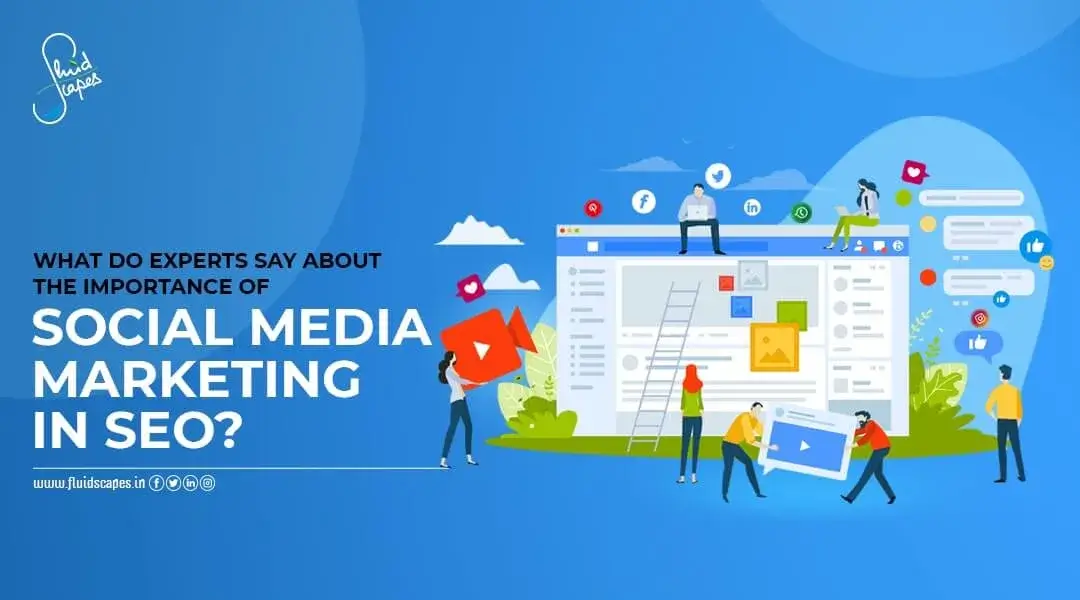
  • What Do Experts Say About The Importance Of Social Media Marketing In SEO?

    What Do Experts Say About The Importance Of Social Media Marketing In SEO?

    Social media is fascinating and addictive. It’s a revolution today only next to the Internet. Started as a platform for recreation, social media has evolved into a major influence on millions of people. The key reasons for that are freedom of expression and emotional connect.

    Emotion is the main weapon in the armory of marketers. Also, they look to reach a vast number of people. While these advantages are abundant in social media, identification of target customers is the most unique and the most powerful feature of social media that is giving it a natural edge over other marketing channels.

    However, social media marketing is a member of the digital marketing family and is best used when working with others. Marketers often forge strategies to attract more organic prospects by combining social media marketing with SEO, for which they have coined a new term, Social SEO.

    Let’s see how social media benefits seo.

    Although there is no direct relationship between the two, social media influences your organic search ranking substantially. As people share your content on your social media channels, the social signals (likes, shares, comments, reposts) that are generated can help to increase trust and brand loyalty, driving brand awareness, and helping to increase online visibility and traffic.

    However, this is not a universal truth. While Bing openly accepts that social media likes and shares influence search ranking on its platform, Google rejects the idea of any direct influence of social media on seo.

    When on one side, we have several studies that speak about correlations between social media shares and seo ranking, the other side argues that correlations cannot be taken as proof of causation.

    So, if we take the middle path it can be considered as a thumb rule that if your content does well on social media there is a high chance that it’ll be ranked high on SERP too. The reasons are simple – popularity of your content on social media will help generate more backlinks and high engagement quotients. And these are the key elements for improved SEO ranking.

    Social media backlinks SEO

    When it comes to backlinks it’s important to note that social media posts can also create social media backlinks, apart from indirectly generating the organic backlinks. You can create engaging social media posts with links to your site. These posts will be circulated on social platforms and will generate traffic to your website.

    You can use Google analytics to learn the site from which you have received the Social media backlinks. For example, if a visitor is redirected to your site from a facebook newsfeed link, you can easily find out the source using Google analytics.

    Social media as a search engine

    As marketers are increasingly flocking to social media, it is giving rise to the concept of social media search engine. Social media search engines function pretty much the same as regular search engines. But instead of searching the entire Internet, it only looks at content published on social networks. If you type in a term or a phrase, it will return social media posts that contain that term.

    The ability to understand both SEO and social media marketing helps companies perform better on both channels. While each strategy has its unique benefits, they become more effective when combined together. For example, audience research on social media allows for more targeted content creation, and SEO research gives you an insight about what social audience would like to read.

    Source- Fluidscapes
    We are one of the best digital marketing companies in India that provides online reputation management services to all types of organizations. We assist businesses to stay on top of the game by leveraging the latest technologies and breakthroughs in marketing strategies and business processes. Want to grow your business, even more, get in touch with us and we’ll tell you how.
  • 7 Tips To Improve Your Blogs And Rank Up In Search Engines

    7 Tips To Improve Your Blogs And Rank Up In Search Engines

    Blog posts are an all time popular information-sharing medium that continues to be an effective marketing tool. It can be a topic of debate if the Internet made the blogs popular, or the blogs made the Internet popular.

    But this high popularity is resulting in thousands of blogs being created every day and making it difficult for you as a marketer to reap dividends from your blog. When a huge number of blogs are contending for a high position on the SERP, how can you stand out in the competition?

    When everybody else is madly trying to grab the attention of the consumers, how can you become more visible, prove yourself different, and ensure a steady stream of organic traffic coming your way?

    This guide will tell you what really matters when it comes to optimizing your blog content to help with your SEO strategy.

    Identify and understand your audience

    Your blogpost is a marketing effort and the success in marketing depends on how well you recognise your potential customers and their needs. So you should do research to identify the demographic groups who will use your product or service and try to understand them as much as possible.

    Creating buyers persona is an excellent way to target readers based on their attitude, aspiration, buying behavior, and other psychological criteria. If you don’t consider this insight, you may be producing grammatically correct and well written content but will fail to strike the right chord.

    Choose the right topic

    A topic is what makes a blog popular. Choosing the right topic is a very important step in your content development process for ranking and branding. You should select topics that are relevant and current. So, check out your website’s analytics to identify your top-ranking search phrases or keywords before you begin writing your content. Pick a topic based on the words and phrases that are popular.

    Research and use the high ranking keywords

    • Google Keyword Planner
    • Google Trend
    • Moz Keyword Explorer
    • Semrush
    • Getkeywords
    • RankIQ
    • Medical Subject Headings (MeSH)
    • Keyword Tool
    • Ubersuggest
    • LSIkeywords.com 
    • QuestionDB
    • Keyword Surfer

    With the right SEO keyword research tools, you can simplify and streamline your SEO process. This makes it easier to find the right keywords to target and gives you the information you need to rank for them. Lack of proper keywords in your blog can complicate your search and slow you down.

    Adorn your blog with visuals

    Google and other search engines too for that matter, place a high importance on visuals to depict certain keywords. Images and videos are the most prevalent visual elements on a search engine result page. Designing imaginative graphics, employing original photographs and videos, and providing relevant alt text to every visual element within your blog post will help you if you want to get a coveted spot in an image pack or a video snippet.

    Alt text (Alternative Text) is a crucial aspect for higher SEO ranking because it’s a short description of an image that helps visually impaired or blind people to understand them when accessed through the screen readers.

    Currently, images appear in almost 38% of Google’s SERPs, and this number is expected to grow. This means that apart from other SEO techniques, your seo ranking and chances of gaining organic traffic can still be improved by adding images or videos and alt text them to connect even the visually impaired readers.

    Get a catchy title

    The title of your blog post is like the name of a book, which provides an instant glimpse into the subject matter and generates a strong interest in the readers. Titles are the first thing a reader sees when they scroll down a list of blogs and drive their decision whether to click or ignore. To stimulate the reader’s interest, a snappy title uses statistics, poses a query, or begins with a question.

    A catchy title is a proportionate mix of power, emotion, and words that stimulates the readers’ interest and fastens them to the page.

    Include a CTA

    A CTA is a call to action, which is an urge to the readers to follow a logical step forward that may be a visit to your website for more information, a call or a mail to a sales person, place an order for an item discussed in the blog, etc,

    A good CTA is connected to the theme of your existing blog article and flows easily with the rest of the material. You’ll need an intriguing CTA on every blog post you write, whether you’re selling a product, promoting a newsletter subscription, or wanting the reader to consume more of your material.

    CTAs come in a variety of formats that include buttons, URLs, and widgets, all of which have different purposes. If you want the reader to make a purchase, for example, you should provide a bold, conspicuous button for the CTA. And if you want to simply persuade a reader to read another blog post, include a link to it at the end of the current one.

    Try to earn more backlinks

    A backlink is a hyperlink that is used by other websites when they refer to your blog or article for more information on a given topic. In other words this is an incoming or inbound link that redirects readers to your web page and is considered an honor especially if the referring websites happen to be a leading and authority site.

    The more high-quality backlinks you have, the higher your website’s Google rating will be, because backlinks are basically like a vote or an endorsement from another website. Each vote makes search engines recognise your content as credible, valuable, and relevant.

    Source- Fluidscapes
    We are one of the best digital marketing companies in India that provides online reputation management services to all types of organizations. We assist businesses to stay on top of the game by leveraging the latest technologies and breakthroughs in marketing strategies and business processes. Want to grow your business, even more, get in touch with us and we’ll tell you how.